
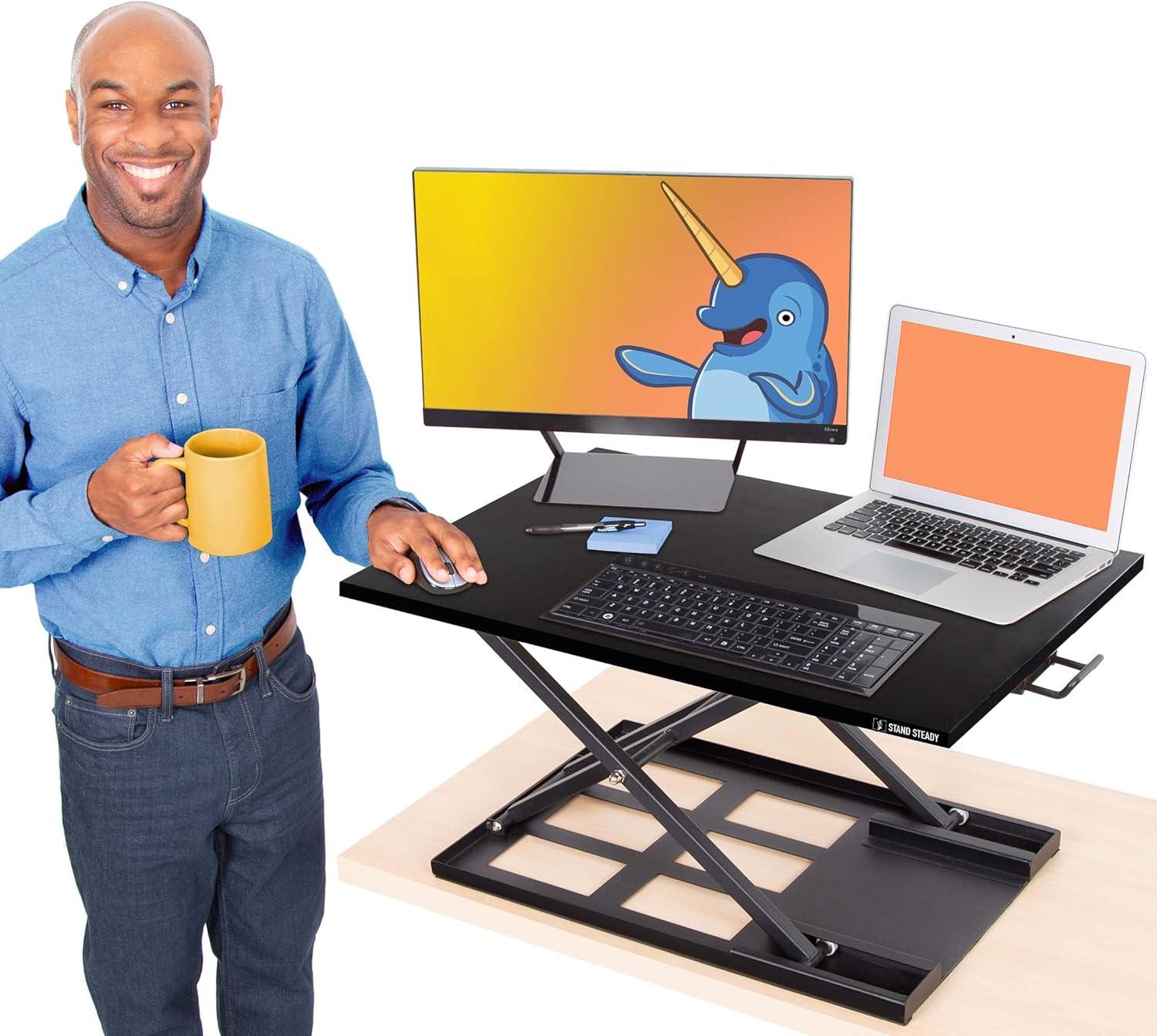
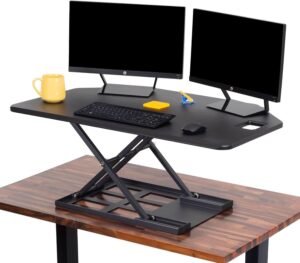
We unboxed the Stand Steady X-Elite Pro with a mix of curiosity and low expectations-after all, sit-to-stand converters can promise a lot and deliver very little. What arrived was a compact, matte-black platform (28 in x 20 in) that looked more like a tidy stage for our laptop and monitor than another piece of office clutter. Right away we noticed two things: it comes ready to use-no assembly-and the pneumatic lift felt engineered to make switching between sitting and standing feel deliberate, not jerky.
Over the past few weeks we’ve put the X-Elite Pro through a typical workday’s worth of keyboard clacks, coffee rings, and quick height adjustments. The headlines from our hands-on time echo what many users report: solid build, smooth height changes, and a surprisingly stable surface that tolerates leaning and fast typing without becoming a drama queen. Its single-level, roomy surface handles a laptop, mouse and a full-size keyboard with ease, while the slim profile keeps our desk looking intentional rather than industrial.
That said, nothing’s perfect. While most transitions were effortless, there were moments-especially when we first started or when the unit sat near its tallest setting-where the lift demanded a little more muscle or felt slightly less fluid. A handful of users have reported difficulty lowering the platform or occasional wobble at maximum height; we didn’t experience anything dramatic,but we noticed the same tendencies others described in particular setups.
In this review we’ll take you through how the X-Elite pro performed in real use-setup, day-to-day comfort, stability under a full monitor rig, and whether it really delivers on value. If you’re weighing alternatives or looking for an affordable way to go sit-to-stand without replacing your whole desk, our hands-on impressions should help you decide if this converter belongs on your workspace.
Overview and Our First Impressions of the Stand Steady X Elite Pro

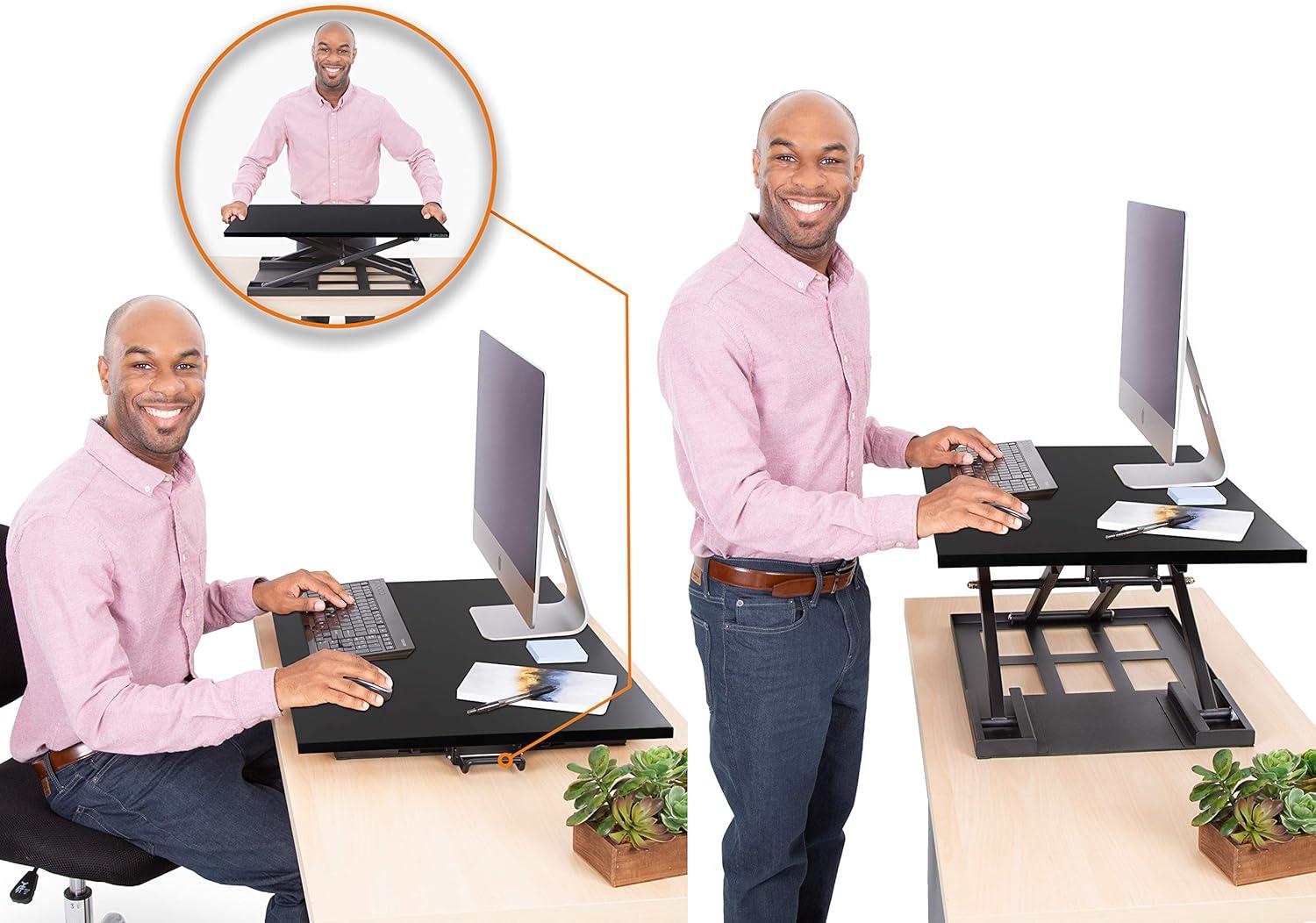
Out of the box we were impressed by how ready-to-use and thoughtfully minimal the desk converter feels – no assembly, a slim matte surface and a footprint that fits on most desks. The single-level 28″ x 20″ top gives us plenty of room for a laptop, monitor and mouse, while the durable metal base comfortably supports up to 20 lbs and stays steady when we lean or type. Operation is driven by a pneumatic pump assist: the lift moves smoothly once engaged, though it can require a little initial effort to start. Overall it strikes a smart balance between solid construction and a lightweight, portable design that still feels professional in a home or office setting.
Key things we noticed include quick sit-to-stand transitions, reliable stability at most heights, and the fact that there’s no keyboard tray (which some users may prefer). We love that it folds nearly flat – about 1.5-2″ above the desk – making it unobtrusive when stored. On the flip side, a small number of users reported more resistance when lowering or rare issues with the mechanism; we recommend checking weight distribution and lowering carefully. Below are a few quick impressions and our overall take:
- No assembly required - use straight from the box
- Spacious single surface – room for monitor + laptop + accessories
- Pneumatic lift – smooth movement with modest initial resistance
- Stable build – minimal wobble at normal heights
| Feature | Quick Take |
|---|---|
| Build Quality | Solid and well-made |
| Ease of Use | Intuitive, no setup |
| stability | Stable for daily use |
| Value | Excellent for the price |
We feel this is a practical, cost-effective way to add ergonomic sit/stand capability to an existing workstation – especially for those wanting a clean, single-surface solution without the bulk of larger converters. If you’re curious to try it and see how it fits your setup, check the latest price and reviews on Amazon: See current price & read reviews.
A Closer Look at How We Rate the Lift, Work Surface, and Stability
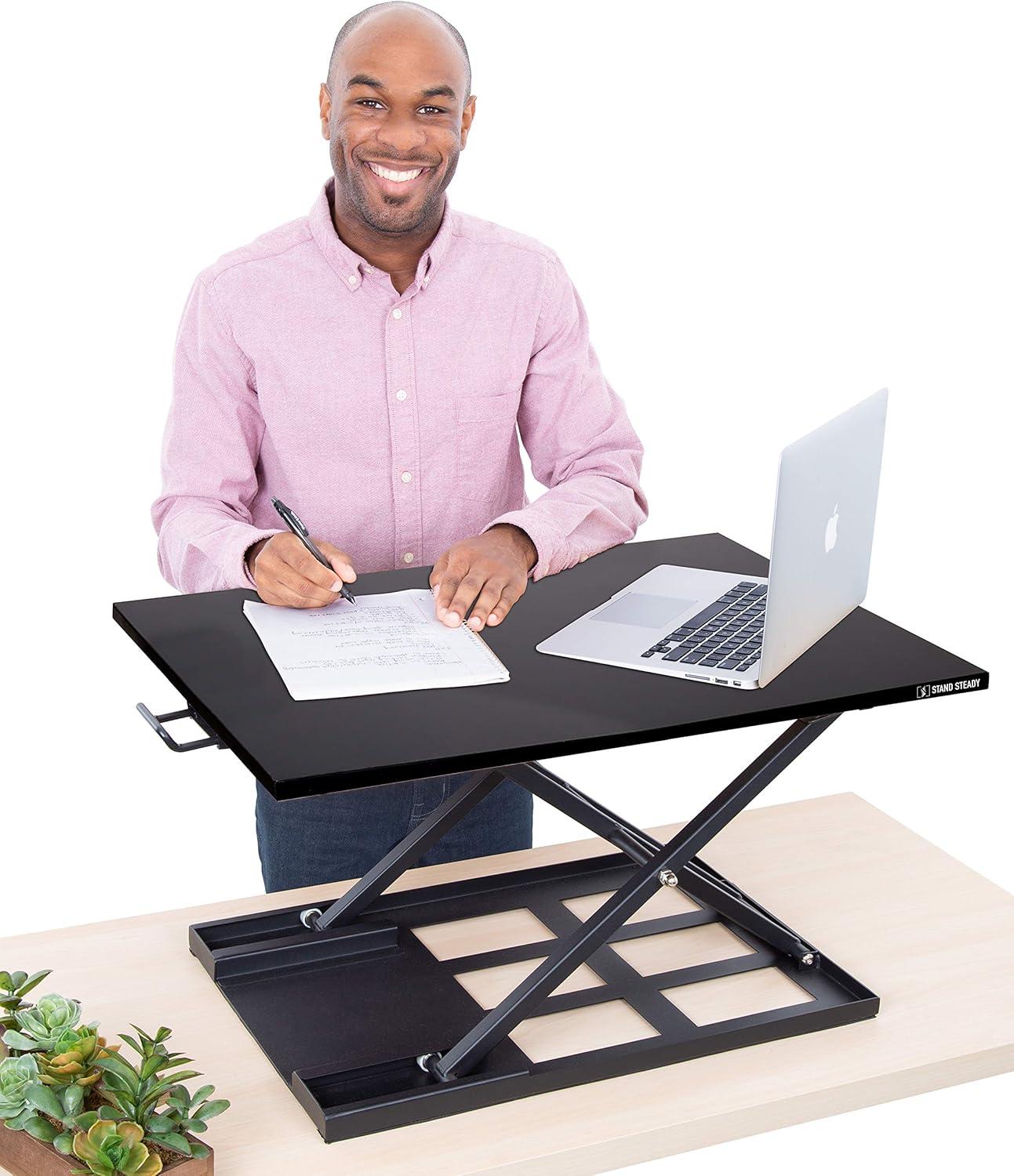
How we rate the lift comes down to three simple measures: smoothness, required effort, and reliability.The built‑in pneumatic pump assist and side lever earn high marks from us for letting the platform glide between sitting and standing quickly - reviews repeatedly note the operation is “smooth” and “easy to move between positions.” we also flag occasional negatives: a small number of users report an initial resistance when lifting or rare problems lowering (even getting stuck), so we weight recent, verified-user feedback more heavily when scoring. Our checklist when testing the lift includes:
- Smoothness: does it move without jerks?
- Effort: how much force is needed to initiate movement?
- Repeatability: does it perform the same after many cycles?
| Component | Our Score | Quick Note |
|---|---|---|
| Lift | 4.5 / 5 | Pneumatic assist,mostly smooth; occasional resistance |
| Work Surface | 4.7 / 5 | Spacious single-level 28″ surface |
| Stability | 4.4 / 5 | Sturdy metal base, slight sway at max height |
When evaluating the work surface and stability we look at space, build, and real-world usability. The broad single-level top easily accommodates a laptop, full‑size keyboard, mouse and even a mug – reviewers praise its ample workspace and the convenience of no assembly. Stability is anchored by a durable metal base rated for up to 20 lbs; most customers report no wobble and the confidence to lean on the desk, though a handful note a bit more give at the highest extension. In short, we balance the excellent value and functional design against isolated reports of strain when lowering or minimal wobble at peak height. Key pros and cautions we communicate to readers:
- Pros: ready to use out of the box, roomy surface, strong build
- Cautions: heavier to carry and small chance of resistance when lowering or at max height
See current price and reviews on Amazon
Detailed Insights from Our Daily Use and Practical Recommendations for Setup and Ergonomics
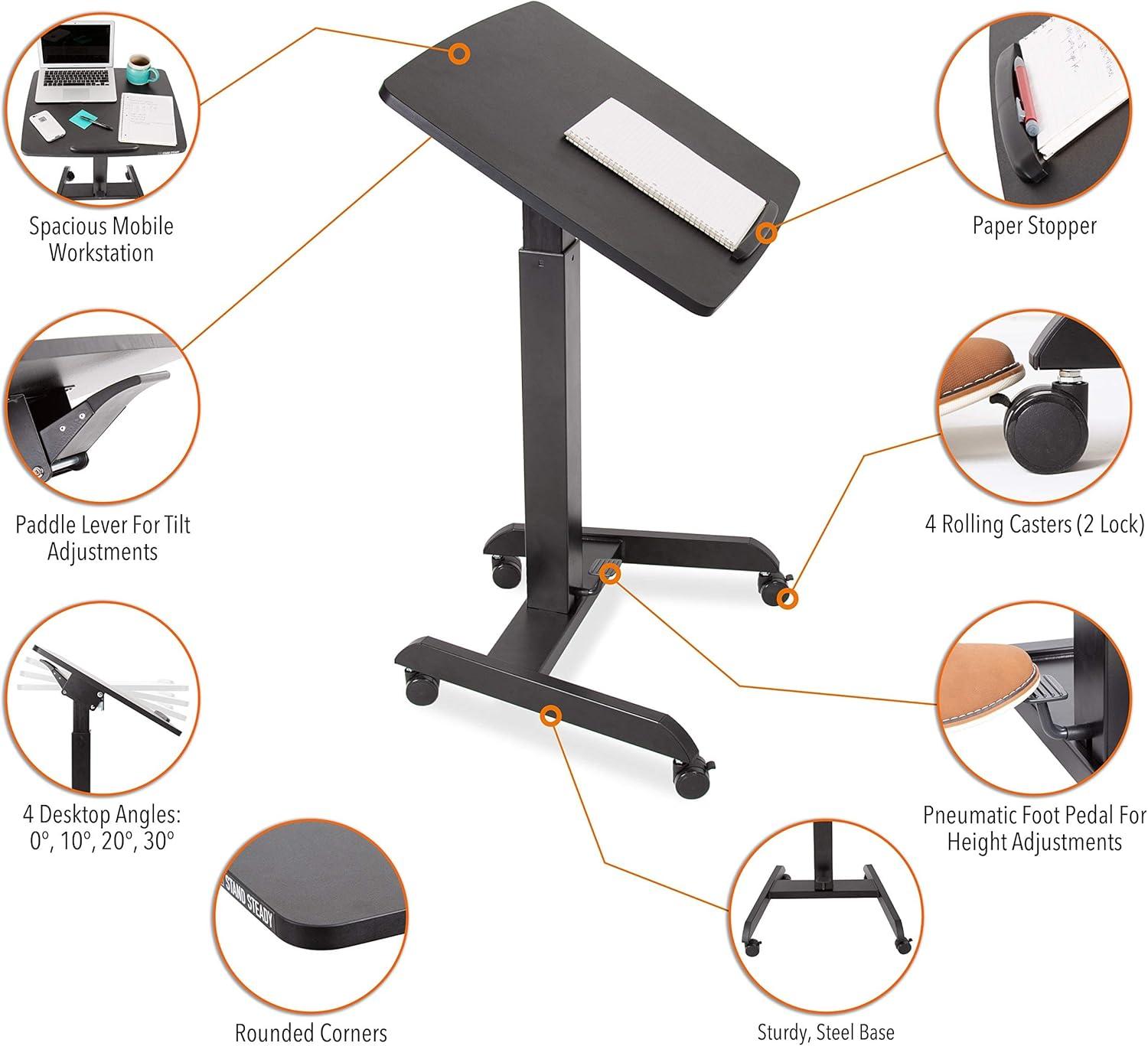
After using the unit every day we can say it delivers exactly what the reviews promise: a solid, well-built platform that converts our sitting desk into a stable standing workspace in seconds. The pneumatic lift gives a pleasantly smooth sit-to-stand transition and the single-level, roomy surface handles our laptop, mouse, notebook and a medium monitor without feeling crowded. In practice we noticed a few useful quirks: it sits very low when flat (almost flush with the desktop), which helps seated typing comfort, yet still raises high enough for a cozy standing posture; it’s hefty to carry out of the box but effortless to move up and down once in position; and though most adjustments glide smoothly, the mechanism can need a firmer initial push for the first few inches. Our daily checklist after a week of use includes simple habits that preserve function and comfort:
- Pre-adjustment safety: remove large monitors before raising or lowering to avoid awkward weight distribution.
- Centre the load: keep heavier gear toward the middle to reduce wobble at taller heights.
- Watch desk requirements: confirm your desktop can support the converter plus gear (up to 20 lbs) and clear space of roughly 24.5″ x 16.8″.
- Ergonomic hack: if the keyboard feels too high (no pull-out tray), lower the platform slightly and raise the monitor with a riser or tilt until eye level is correct.
To make setup painless we followed a short routine-place the riser, insert the stability rod, arrange cables under the rear lip, and test the lift without equipment first. Below is a compact reference we kept on our desk while adjusting posture and accessories:
| Quick Spec | What We Noted |
|---|---|
| Weight Capacity | 20 lbs – fine for laptop + monitor |
| Surface Size | 28″ × 20″ – roomy for essentials |
| Assembly | None – ready out of the box |
| Flat Profile | Nearly flush – better seated ergonomics |
If you’re ready to try this upgrade and wont the same setup we tested, grab one for your desk and start standing with confidence: See It on Amazon
Pros & Cons
Pros & Cons
We spent weeks swapping between sitting and standing on the X-Elite Pro so you don’t have to. Below are what we found to be the meaningful wins and the trade-offs worth knowing before you click buy.
pros
- Solid, confidence-inspiring build: The metal frame and weight (~20 lbs) make the platform feel stable – we could lean on it without worrying it would wobble.
- Smooth sit-to-stand action: The pneumatic assist and single lever let us change height quickly and with minimal fuss.
- No assembly - ready out of the box: unbox, place it on the desk, add the stability rod, and you’re working in minutes.
- generous single-level surface: The 28″ × 20″ top fits a laptop, mouse, notebook and – for many of us – a monitor as well.
- Minimal, professional look: The slim black finish blends into home and office setups without shouting “gadget.”
- Excellent value for money: You get a dependable converter without paying premium desk prices.
- Low profile when lowered: In its flattest position it sits closer to the desk than many competitors, which helped shorter team members.
Cons
- No seperate keyboard tray: Everything sits on one level; that can make ergonomic keyboard height tricky for some users.
- Lift can need a small initial push: While it moves smoothly a little force is sometimes required to get it starting - especially under heavier loads.
- Can feel a touch wobbly at maximum extension: Mostly solid, but very forceful typing at full height might show a little give.
- Sits slightly above desk even when folded: It’s lower than many rivals, but it’s not perfectly flush – a few of us noticed the gap.
- 20 lb weight limit: Large monitors, heavy dual-monitor setups, or lots of accessories may exceed the capacity.
- Potential long-term wear on the pneumatic mechanism: A few reviewers wondered about durability after heavy daily use; worth keeping an eye on.
| Quick Snapshot | Why it matters |
|---|---|
| Build & Stability | Sturdy for everyday use, light wobble at max height |
| Ease of Use | Instant setup, smooth lever action - occasional extra push |
| Workspace | large single surface; no keyboard tray |
| Value | High – delivers the core features without the high price |
Our takeaway: the X-Elite Pro is a dependable,no-nonsense standing desk converter that nails stability,space and value. If you need a separate keyboard tray, carry very heavy monitors, or demand perfectly dead-stable performance at the highest extension, you may want to weigh those trade-offs – otherwise it’s a solid, practical upgrade for most home and office setups.
Q&A
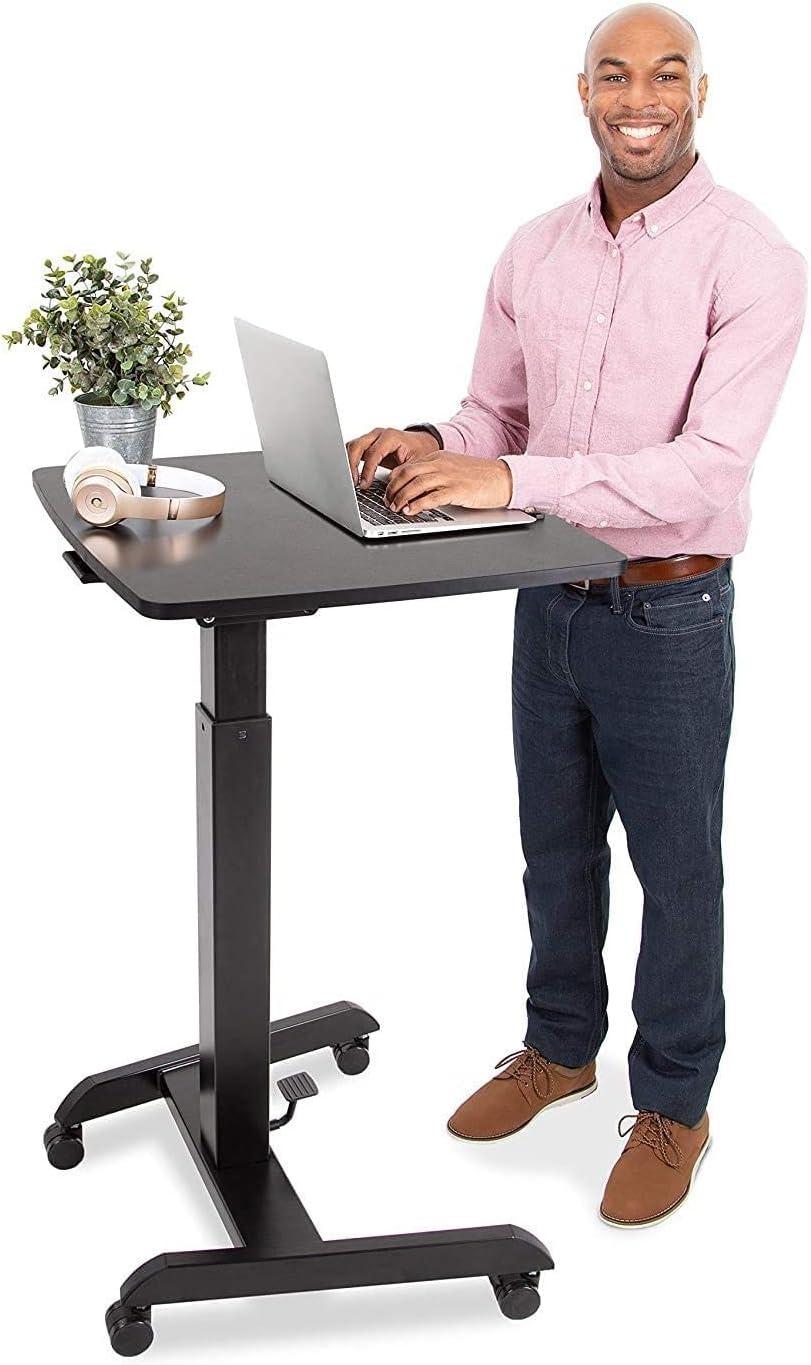
Q: What exactly is the X-Elite Pro and who is it for?
A: The X-Elite pro is a pneumatic, single-level standing desk converter – a 28″ x 20″ platform that sits on top of your existing desk and lets you lift your laptop, monitor and keyboard to a standing height. We found it best suited to people who want a simple, compact, no‑assembly sit/stand solution: home workers, office cubicle users, and anyone after an affordable, sturdy converter without extra bells like a pull‑out keyboard tray.
Q: How big is the work surface and will my monitor/laptop fit?
A: The work surface is 28 inches by 20 inches. In our testing and from many user reports, that’s ample room for a laptop plus an external monitor or a full‑size keyboard and mouse. The unit is commonly used with 24″ monitors – heavier multi‑monitor rigs are more likely to push the limits.
Q: How much weight can it support?
A: The manufacturer and safety guidance advise a 20 lb maximum load. We used standard laptop + monitor + accessories configurations comfortably, but anything heavier risks strain on the mechanism and more movement at extended heights.
Q: Is assembly required?
A: No major assembly is needed. The unit ships assembled. In some boxes you may need to insert a small stability rod or similar safety piece, but for the most part you open the box, place it on your desk, and you’re ready to go.
Q: How does the lift mechanism work and is it easy to adjust?
A: It uses a pneumatic (air‑assist) pump with a side lever. We liked how quickly it transitions between sitting and standing. Most of the time it glides up and down smoothly; occasionally you’ll need to give it a bit of an extra push to get movement started.A handful of users reported difficulty lowering or a unit getting stuck – rare, but worth being aware of.
Q: Is the desk stable? Can you lean on it?
A: For normal loads and heights the X‑Elite Pro is very stable – many customers and we ourselves felt comfortable resting arms on it. At the highest extension, especially with heavier monitors or vigorous typing, you may notice slight wobble. If ultimate rock‑solid stability at max height is critical, a heavier, fixed standing desk might potentially be a better choice.
Q: How low does it sit when folded down? will it block my view or make typing awkward?
A: This converter sits much lower than many competitors when folded. Reviewers measured the flattened position as low as about 1.5-4 inches above the desktop depending on desk and model - low enough for many people to type comfortably while seated. As it’s a single‑level surface (no pull‑out keyboard tray), keyboard height relative to your seated position might potentially be a consideration for people with specific ergonomic needs.
Q: Is it easy to move around and how heavy is the unit?
A: The unit itself is fairly heavy to pick up (several users reported around ~20 lbs), so lifting it on or off a desk can be a two‑person job. Once in place, moving the platform up and down during use is easy thanks to the pneumatic assist.
Q: Will it fit my desk or cubicle?
A: Check your desk clearance. The safety info recommends that your desk can support up to 20 lbs and that you have enough surface space - the product’s footprint is 28″ x 20″.Several reviewers said it fits nicely on standard office cubicles and smaller desks, but measure your workspace before buying.
Q: Any safety warnings or tips?
A: Yes – don’t overload it (20 lb limit), keep fingers and hands clear of moving parts, and don’t use it if the unit looks damaged or unstable. Several users also advise removing heavy monitors before making big height adjustments to reduce strain on the mechanism.Q: What are the most common complaints we saw?
A: The main negatives we encountered were: (1) occasional stiff movement or difficulty lowering for a small number of units, (2) slight wobble at the highest extension with heavy setups, and (3) lack of a lower keyboard tray, which some ergonomic users missed.
Q: Is it a good value?
A: In our experience – and echoing many customer reviews – it represents strong value. It’s an inexpensive, no‑fuss way to convert a regular desk into a sit/stand setup.If you want a minimalist, stable converter without electric motors or extra features, this is a solid pick.
Q: Final takeaway – should we recommend it?
A: We would recommend the X‑Elite pro to most people looking for an affordable, well‑built sit/stand converter for a laptop and single monitor. It’s easy to start using right out of the box, sturdy for everyday use, and a smart value. If you need to support very heavy monitors, require a pull‑out keyboard tray, or want an electric lift, look at other options – but for straightforward, reliable sit/stand switching, this one did the job for us.
Transform Your World
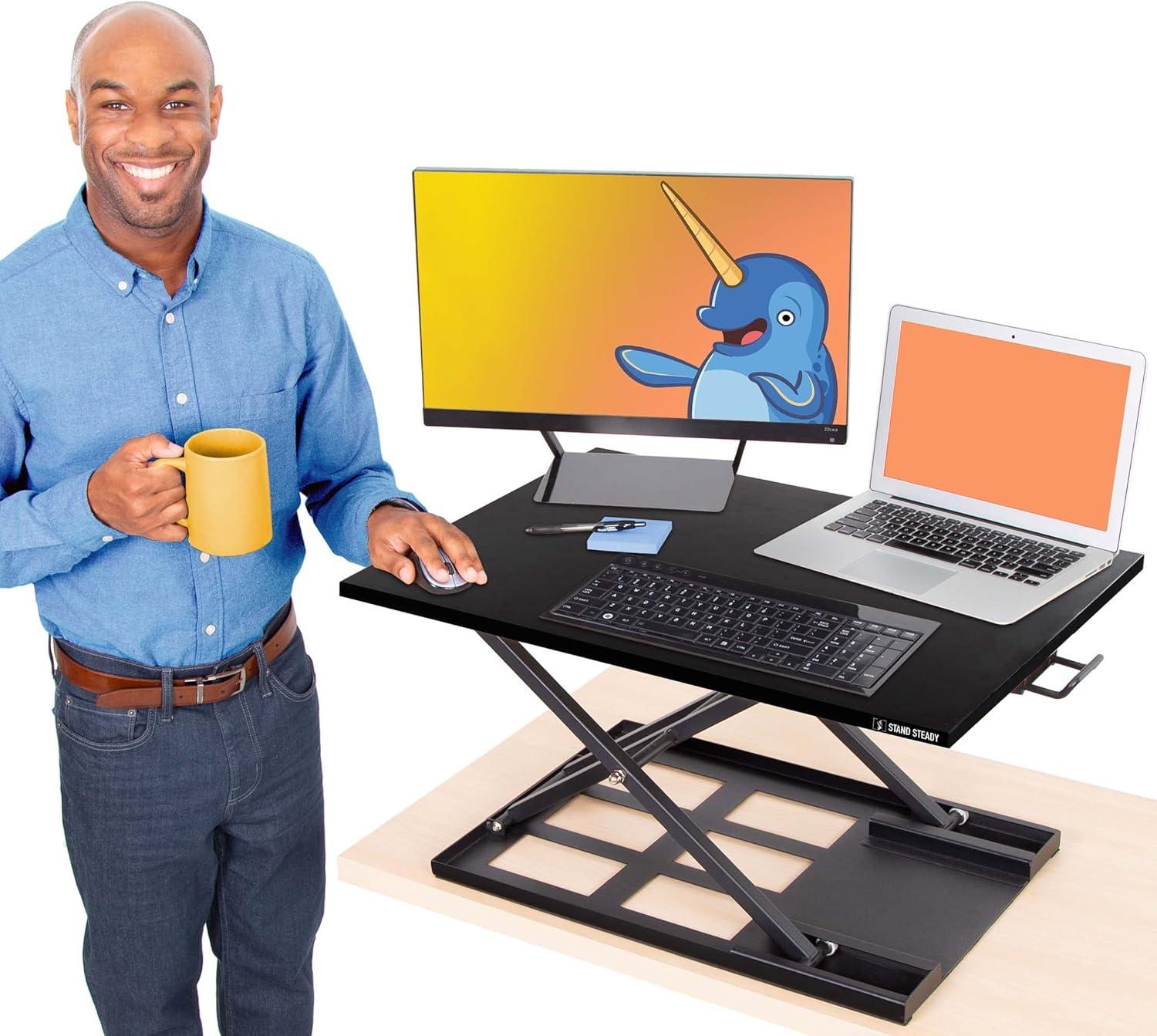
We’ve spent time standing, sitting, typing and leaning on the Stand Steady X-Elite Pro so you don’t have to - and here’s our measured take. The 28″ x 20″ single-level surface and pneumatic lift make switching positions quick and simple, and the unit arrives ready to use with no assembly. For many of us it hit the sweet spot: sturdy, sleek, and roomy enough for a laptop, keyboard and a monitor while staying compact on a crowded desk.
Customers’ voices line up with our experience: the build quality and stability impressed most reviewers, the lift is smooth for routine use, and the value proposition is strong compared with pricier alternatives. That said, a few users noted it can take a little force to start the lift, some experienced occasional stiffness or difficulty lowering, and those who prefer a dedicated keyboard tray will miss that feature here. Also keep in mind the 20 lb capacity and the unit’s footprint when deciding whether it fits your setup. If you want a straightforward, no-fuss sit-to-stand converter that balances performance with affordability, the X-Elite Pro is a solid contender. If you need motorized adjustment, a lower keyboard tray, or plan to load the platform with very heavy monitors, look at other options or double-check compatibility first. Ready to see current pricing, specs, and real customer reviews for yourself? See the Stand Steady X-Elite Pro on Amazon.
Reviews
There are no reviews yet.