
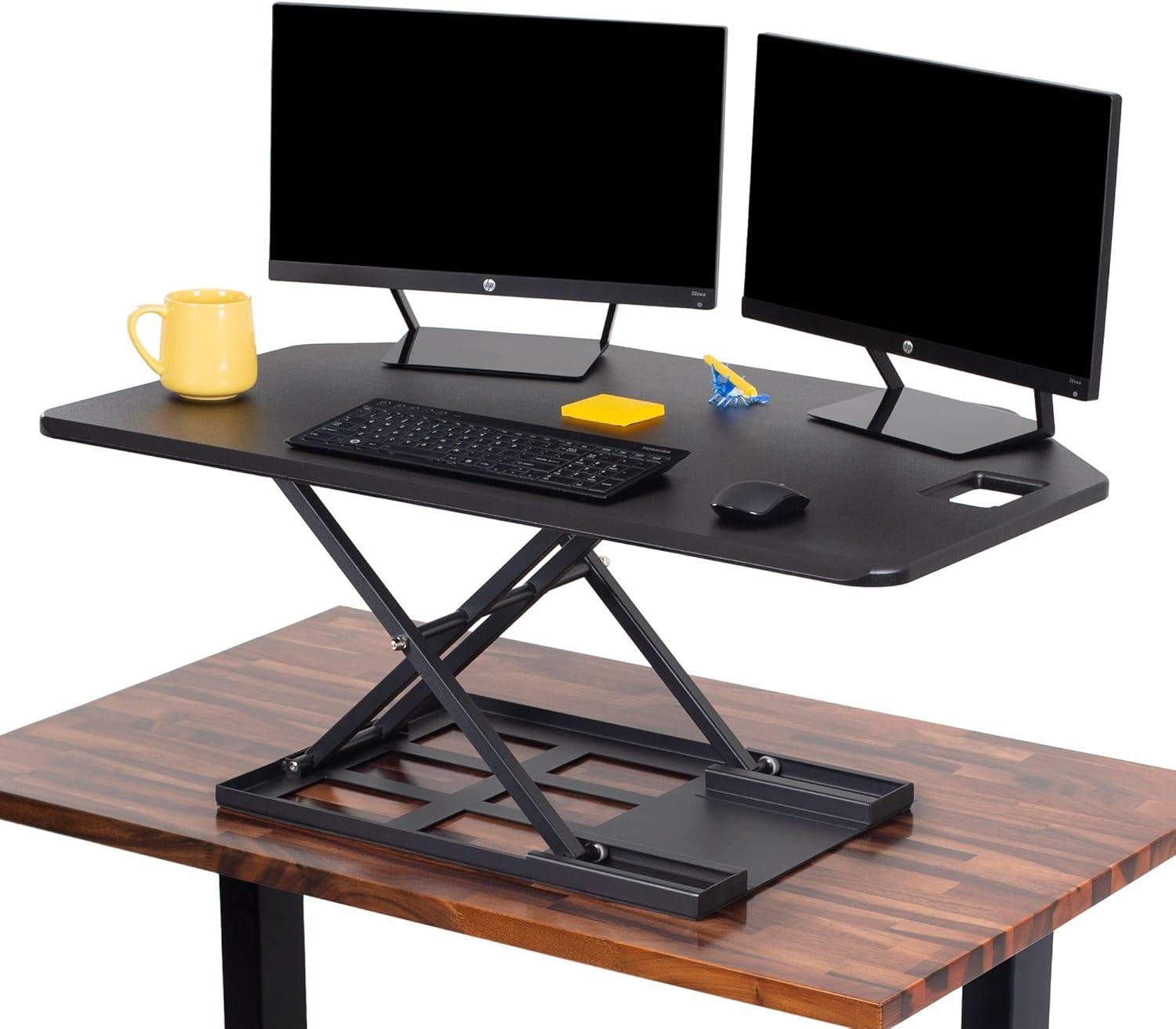
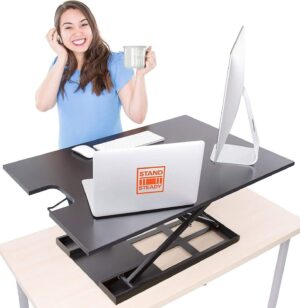
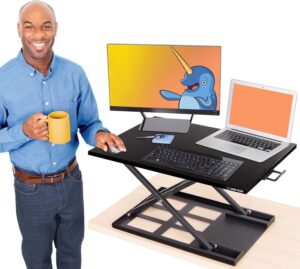
We approached the X-Elite Pro 40″ Corner Standing Desk Converter with a clear brief: make our corner workstation sit-stand ready without tearing down the desk. Out of the box the matte black unit looked every bit the part-sleek, wide, and ready to slide into the corner of our L-shaped setup. As it arrives fully assembled, we were able to place it on our desk and start testing in minutes, which felt like an immediate win for anyone short on time or tools.
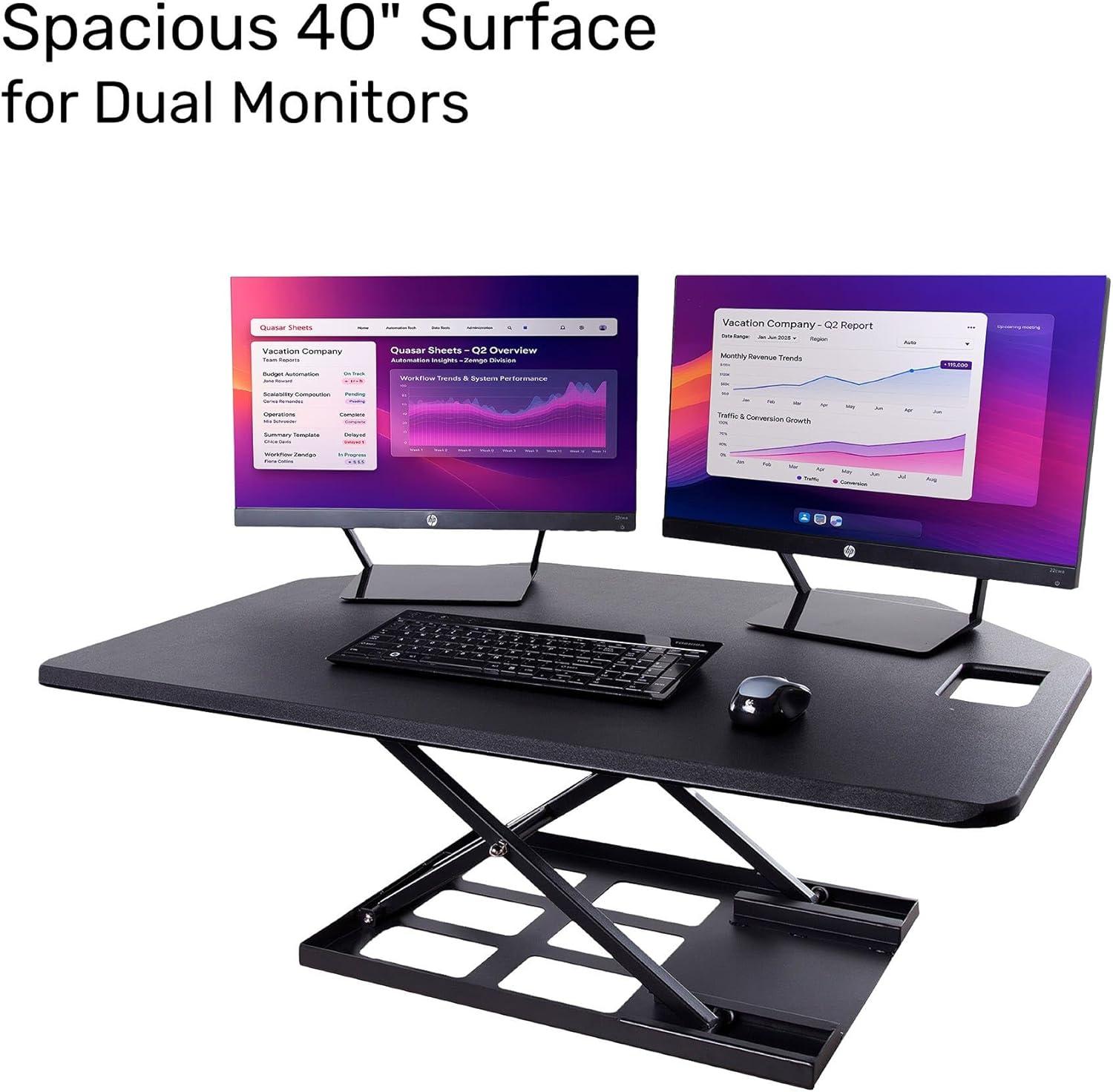
Over several days of real use we pushed the X-Elite Pro through the things that matter most: space,stability,and how easily it transitions between sitting and standing. The 40″ surface comfortably swallowed two monitors, a keyboard and a scattered collection of notebooks and accessories; it’s angled front makes for a surprisingly ergonomic edge when you rest your forearms. Build quality felt solid at first touch, and the pneumatic lift delivers smooth height changes-most of the time. That said, our hands-on time also uncovered the nuances others have reported: the unit is hefty to move, the lift can demand a firm two-handed effort depending on load, and there are moments where lowering or raising feels less seamless than the product photos promise.
In this review we’ll walk through the features that impressed us, the practical limitations we experienced, and who we think this converter will suit best. If you’re considering a sit-stand solution for a corner or L-shaped desk but don’t want to install a full electric frame, our hands-on notes shoudl help you decide whether the X-Elite pro 40 is the right fit for your workflow.
Our Overview of the X Elite Pro Corner Standing Desk Converter
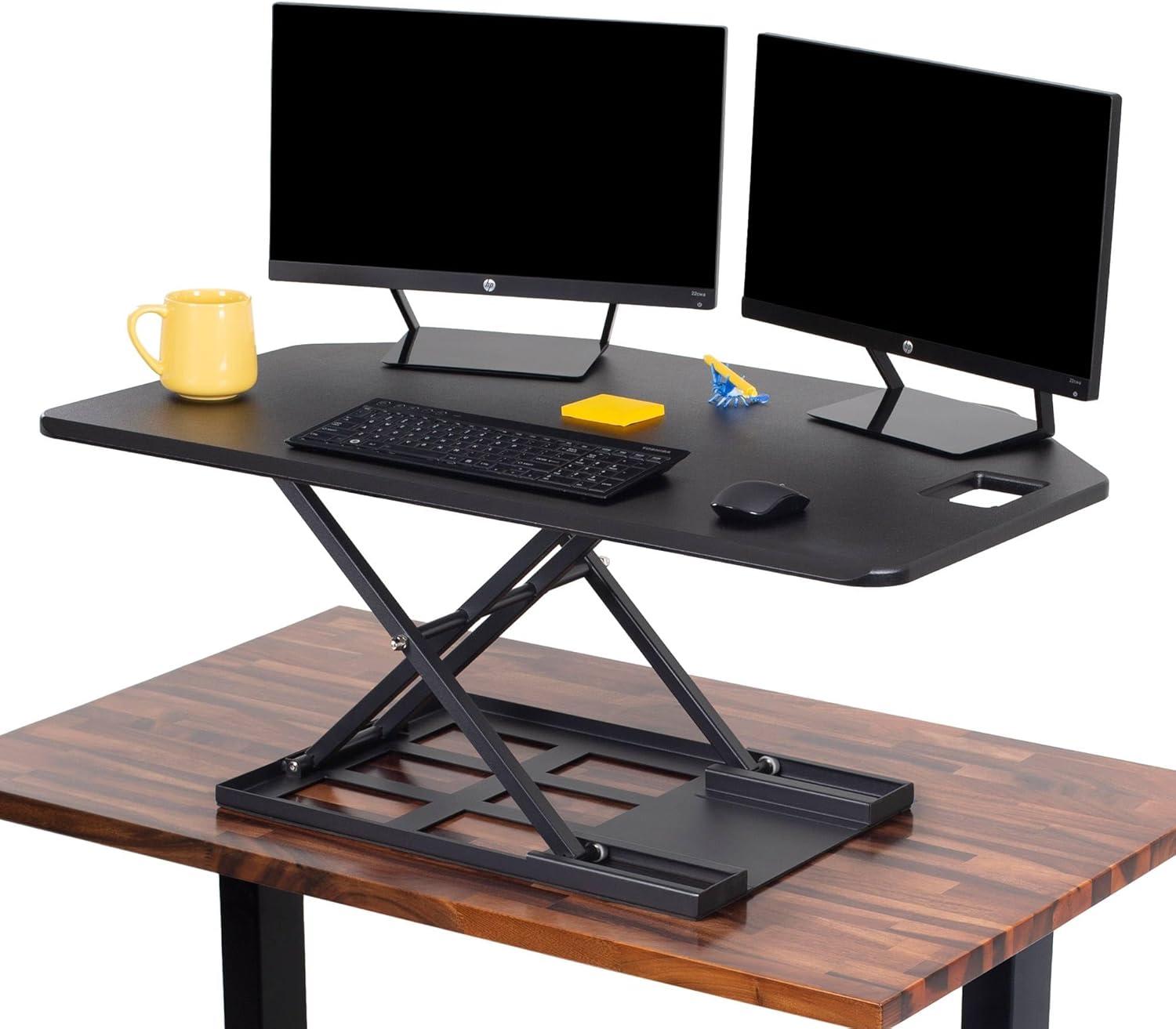
At the same time, our experience mirrors the mixed feedback from other buyers: sturdiness and lift effort can vary depending on the load. Some of us experienced very steady performance, while others had to use both hands or a little momentum to get the mechanism moving; a few reported the riser sticking at the top or lowering rapidly if not guided. If you plan frequent height changes with heavy monitors,take note that it’s heavier to lift near capacity and the lift mechanism clicks into grooves rather than stopping at any arbitrary height. Below are quick takeaways and a compact comparison to help decide if it fits your routine:
- Space: Excellent for dual monitors and notes-big, usable surface.
- Setup: Ships fully assembled-instant upgrade.
- Adjustment: Pneumatic lift is smooth for moderate loads,but can be stiff or jumpy under heavier setups.
- Sturdiness: Generally solid, though a minority report wobble or slackness.
| What We Liked | What To Watch |
|---|---|
| Large, comfortable work area | Can be heavy to lift when loaded |
| Corner-ready design, fully assembled | Occasional sticking or sudden lowering reported |
| Good build quality for the price | Not ideal for very frequent sit/stand cycles if weight is near limit |
See current price, reviews & buy on Amazon
Features We Noticed From Smooth Pneumatic Lift to L Shaped Desk Compatibility
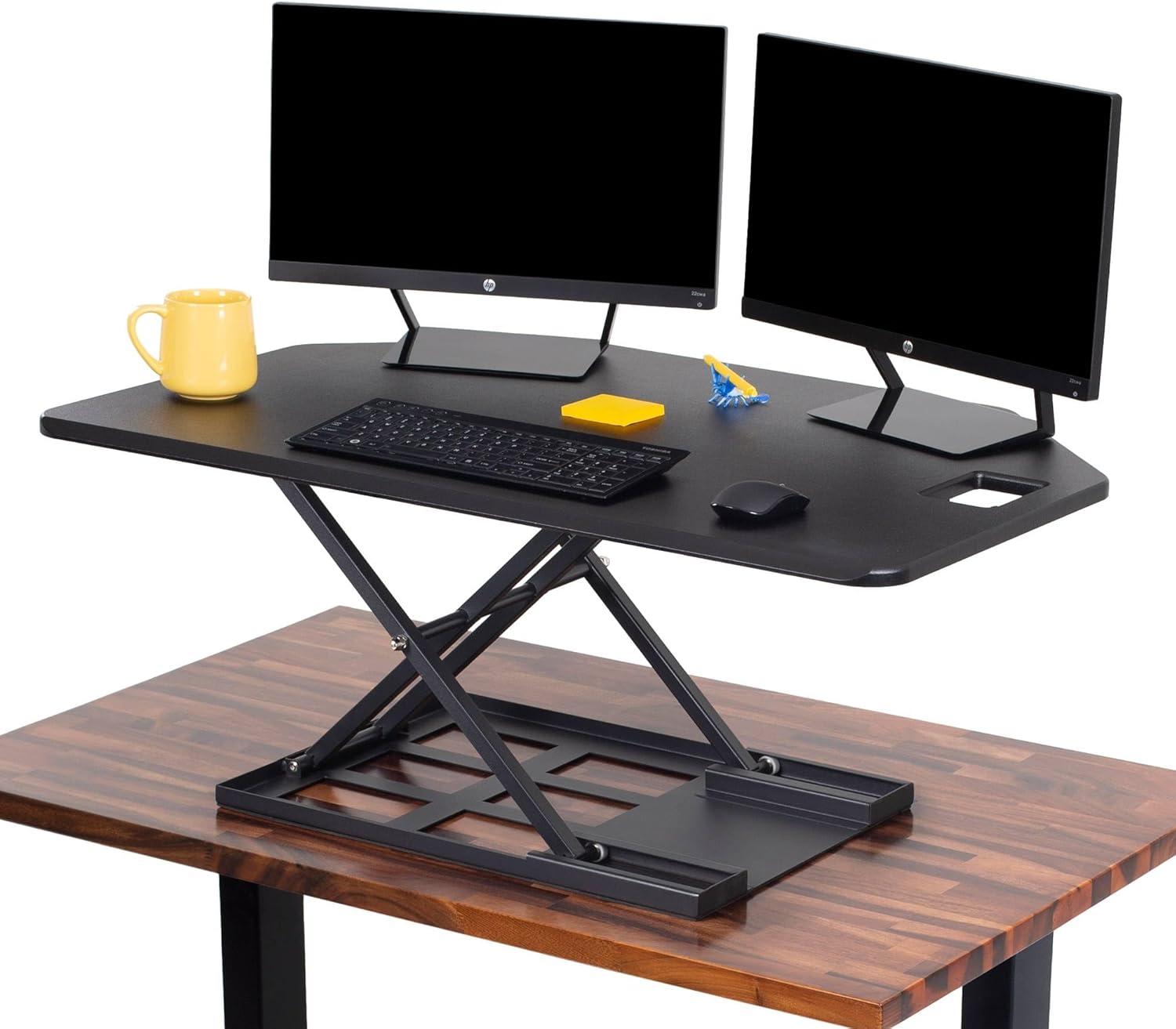 When it works smoothly, swaps positions with minimal fuss. Customers consistently praise the extra‑large workspace (room for two monitors and plenty of desk accessories) and the fact that it arrives fully assembled, ready to place on an existing surface. At the same time, feedback is mixed on movement and weight: many find the mechanism easy to use, while others report it can be heavy to raise, get sticky at standing height,or require two hands to operate.
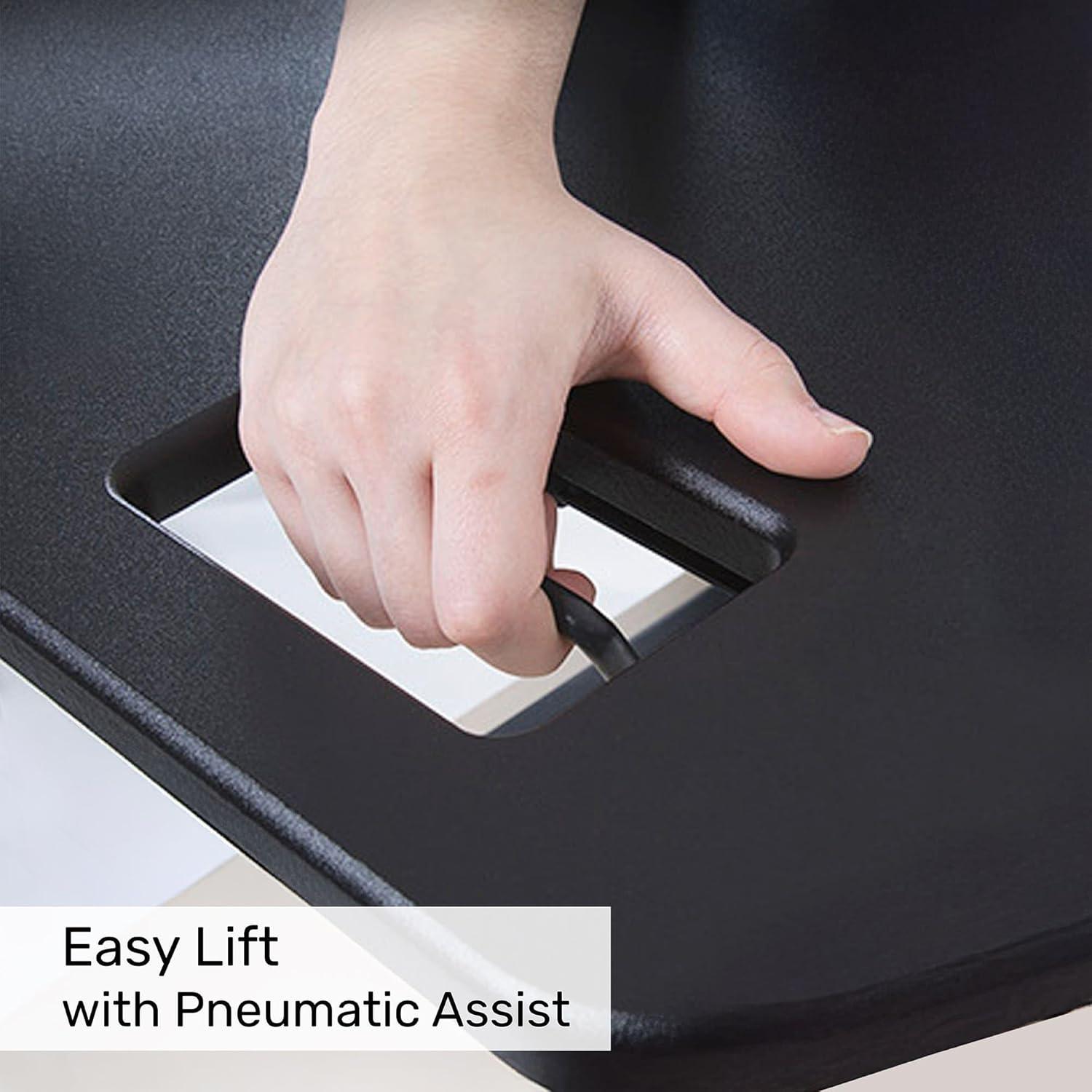
- Pneumatic lift: air‑assisted but sometimes stiff near the start of travel
- Workspace: wide surface that accommodates dual monitors and notes
- Fit: angled edges designed for corners, cubicles and L‑shaped desks
- Assembly: arrives ready to use – no tools required
| Metric | Mentions (pos / neg) |
|---|---|
| Size | 46 (43 / 3) |
| Quality | 33 (32 / 1) |
| Sturdiness | 50 (34 / 16) |
| Ease of lifting | 37 (20 / 17) |
In practice we found it excels in corner and L‑shaped setups – the tapered front is comfortable for resting forearms and the depth gives room for a keyboard and workspace clutter without feeling cramped. The build quality earns high marks from many reviewers, though the unit’s weight and occasional slackness when lowering are real considerations: some users warned it can slam if you don’t guide it down. Our advice is to treat the converter as solid and roomy but to plan for two‑handed adjustments when loaded.
- Pro tip: mock up the footprint with cardboard to confirm fit in a corner or L‑shape before committing
- Pro tip: distribute monitor weight evenly to reduce back‑heaviness
- Warning: lower slowly and hold the back edge when closing to avoid jolts
See current price and details on Amazon
Detailed Insights and Our Recommendations for Setup Ergonomics and Daily Use
- Pre-measure and mock up the footprint
- Center heavy gear to avoid back-weighting
- Use two hands when adjusting or lifting initial inches
- Secure cables so they don’t tug during transitions
Daily use generally rewards patience: the pneumatic lift is smooth for many of us, but user reports show mixed experiences with lift effort, occasional sticking at the top, or sudden drops if lowered too quickly – so we treat transitions deliberately. To reduce issues, avoid loading the riser close to its maximum capacity, keep heavier items toward the rear-center, and lower slowly while supporting the back edge. If you plan to switch positions multiple times an hour, consider an electric model for effortless transitions; otherwise, the manual pneumatic unit is a solid, well-built choice when used with care. Our quick reference:
| Aspect | Practical Tip |
|---|---|
| Size | Great for two 24″ monitors - mock up first |
| Sturdiness | Mostly steady; center weight to avoid wobble |
| Lift Effort | May require two hands or an initial pull |
| Daily Use | Lower slowly; avoid hitting grooves/slack points |
See Current Price and availability
Pros & Cons
Pros
- Generous workspace: The 40″ wide, 27.5″ deep surface easily fits two monitors and leaves room for a keyboard, mouse and notes. We loved how roomy it feels in corner and L-shaped setups.
- Corner-friendly shape: Angled edges make it a neat fit for cubicles and corner desks – smart space use if your office is angled or compact.
- Good build and finish: Many users report solid quality and a smooth, comfortable desktop edge in matte black. It arrives fully assembled, which we appreciate.
- Pneumatic lift (when it works): The air-assisted mechanism can make sit-to-stand transitions quick and nearly effortless for some setups.
- Ready out of the box: No tools, no assembly-just place it and get to work. That convenience is a real plus.
Cons
- Mixed sturdiness reports: while many find it stable, a notable portion report wobbles or instability-especially under uneven weight distribution.
- Heavy and awkward to position: The unit itself is hefty; getting it onto your desk often requires two people.
- Lifting can be tough: Several customers say raising the platform needs real effort (especially near the weight limit), so frequent adjustments might potentially be fatiguing.
- Slackness and sudden drops: Some users experienced the riser getting stuck at standing height, or slamming down when lowering-so caution is advised around monitors and fragile gear.
- Limited micro-adjustment: A few reviews note the height mechanism has “grooves,” making it harder to stop at an exact mid-point.
| Feature | Mentions (pos / neg) |
|---|---|
| Size / workspace | 46 (43 / 3) |
| Quality | 33 (32 / 1) |
| Sturdiness | 50 (34 / 16) |
| Ease of lifting / operation | 37 (20 / 17) |
| Slackness / sticking | 26 (7 / 19) |
Our takeaway: If you want a spacious, ready-made corner riser with a premium look and mostly solid construction, this is a strong, cost-effective choice. If you plan to adjust height many times a day or rely on effortless, fine-grain lifting with heavy monitors, consider testing how it feels with your setup (or exploring electric models) before committing.
Q&A
 A: It’s an air-assisted, fully assembled sit-to-stand converter made for corner and L-shaped desks. The top is 40″ wide with about 27.5″ of usable depth, and the pneumatic lift moves the platform from roughly 2.25″ up to 16.75″ – enough range for most seated-to-standing transitions.
Q: Will it fit in a corner or cubicle?
A: Yes – the angled front and corner-friendly shape are designed to tuck into L-shaped desks and cubicles. We still recommend measuring your desk and cutting a cardboard template of the 40″ x 27.5″ footprint to be sure it won’t overhang or block drawers.
Q: How much workspace does it give me?
A: Generous. Multiple customers report easily fitting two 24″ monitors (some even used a 30″ or wider single monitor), plus keyboard, mouse and room for notebooks or a coffee cup. If you run a lot of peripherals, measure to be safe.
Q: Is it sturdy? Will my monitors wobble or tip?
A: Reviews are mixed. Many users find it very solid and stable under typical setups; others experienced wobble or instability, especially with uneven weight distribution or heavy,back-heavy monitor setups.We advise placing heavier items toward the center/front of the platform and checking for any front or back overhang on your existing desk.
Q: How easy is it to raise and lower?
A: Mixed again.The pneumatic pump makes transitions smooth for many – squeeze the side handle and the lift assists the movement. However, a sizable portion of users say lifting can require real effort (sometimes two hands) when the riser is loaded, and lowering can sometimes feel abrupt if not guided carefully. If you plan to change heights many times a day, an electric model might potentially be worth considering.
Q: Does the riser ever get stuck or slam down?
A: Some customers reported it getting stuck at the standing position or slamming down unexpectedly. To reduce risk, we recommend: always guide the desk with two hands when lowering, avoid sudden releases, and keep heavy items balanced forward. If you see sticking or abrupt drops, stop using the unit and contact the seller or manufacturer for guidance.
Q: How heavy is the unit? Will I need help to set it up?
A: The unit is significant – many found it heavy to lift onto their desk and some needed two people. It does come fully assembled, so installation is just placing it on your existing surface, but plan for help if you aren’t comfortable lifting heavy items.
Q: Can it safely hold two monitors and other gear?
A: For most users, yes. Many customers run dual monitors and accessories without issue. Having mentioned that, as experiences vary with monitor size and weight distribution, check the product page for the official weight capacity and evaluate your combined monitor/gear weight before relying on it.
Q: Any tips to reduce wobble or make lifting easier?
A: Yes – distribute weight evenly and keep heavier items toward center/front; tighten any desk or surface that the riser sits on; when lifting, get a little momentum with two hands and let the pneumatic assist engage; when lowering, hold the back edge and guide it slowly. Anti-slip pads or a thin rubber mat under the base can also help if your desk surface is slippery.
Q: Is it child- or pet-safe?
A: The unit’s weight and lift resistance mean a child probably couldn’t easily lower it, but the possibility of abrupt movement or slamming means it’s not something we’d leave within unsupervised reach of kids or pets. Use caution.
Q: How’s the finish and general build quality?
A: Most users praise the quality and matte-black finish – smooth surface, comfortable angled front edge, and a generally well-made feel. The riser arriving fully assembled is a frequent positive point.
Q: Should I buy this or go electric?
A: It depends on your usage. If you want a roomy, corner-friendly riser and will keep it raised most of the time or change heights only occasionally, this is a strong value. If you plan to switch between sitting and standing multiple times an hour or you run very heavy monitors and want effortless height changes, an electric desk or electric converter will be easier long-term.
If you want, we can summarize who this riser is best for based on the reviews we analyzed.
Embody Excellence
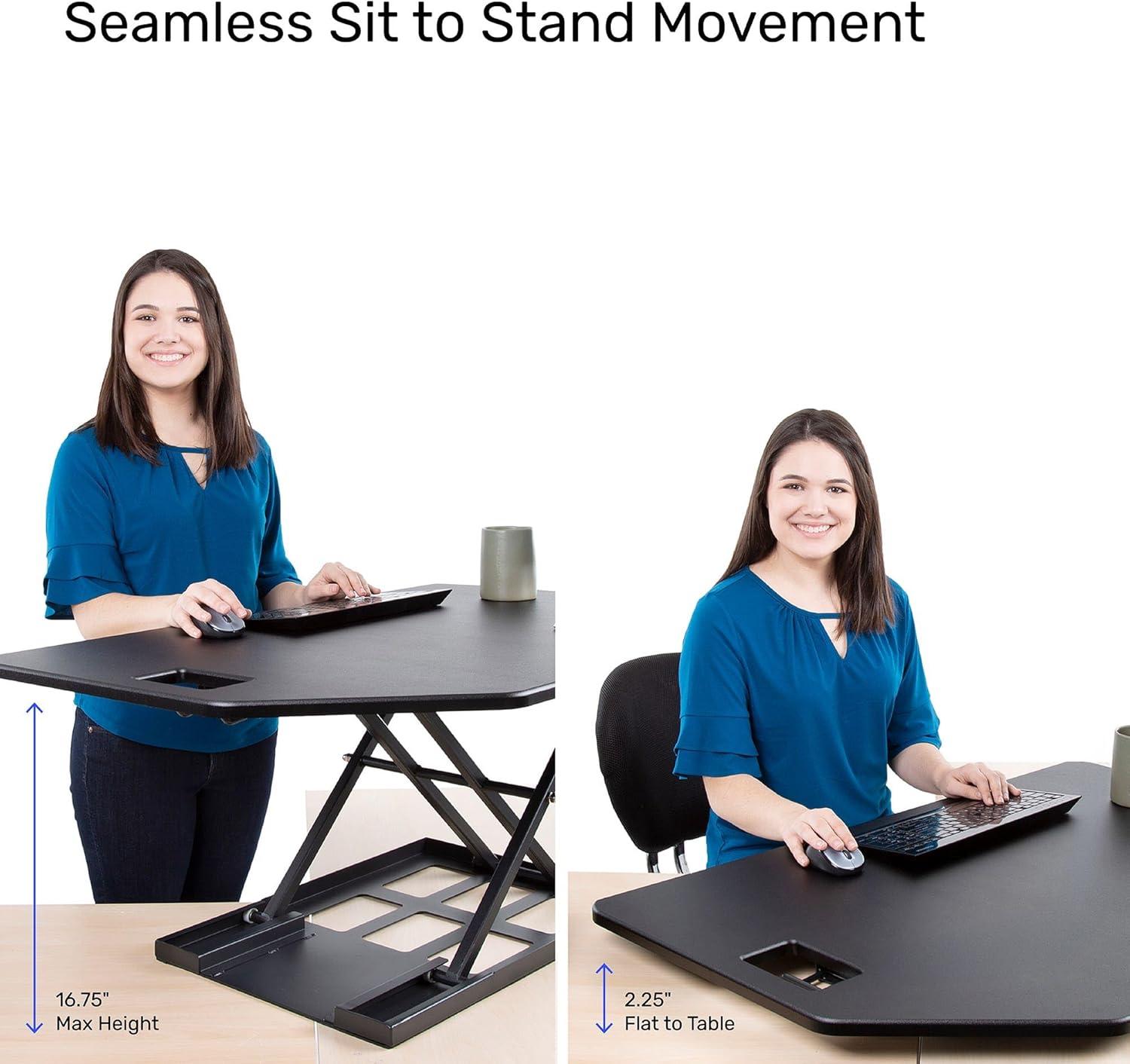
We came away impressed by the X-Elite Pro 40″ Corner Riser’s big, comfortable work surface and corner-friendly shape – it really does give you room for dual monitors and everything else you need without feeling cramped. Out of the box it’s a welcome, fully assembled upgrade for L-shaped desks and cubicles, and when the pneumatic lift behaves it makes sit-to-stand transitions smooth and satisfying.
That said, our read of customer experience is mixed. Many praise the build quality and stability, but a sizable number report the unit can be heavy, tricky to raise, or finicky when lowering (and a few say it can stick at the top). If you plan to keep the riser at one height most of the day or mostly need a large, sturdy elevated workspace, this is a solid choice. If you expect to switch between sitting and standing many times daily-or you’re sensitive to wobble or heavy lifting-you may want to consider an electric option or double-check weight limits and lift mechanics before buying.
In short: we like the X-Elite Pro 40″ for its size, design, and ready-to-use convenience, but recommend weighing the trade-offs around lift ease and stability against how you actually work. Want to take a closer look or pick one up? Shop the X-Elite Pro 40″ Corner Riser on Amazon.
Reviews
There are no reviews yet.