
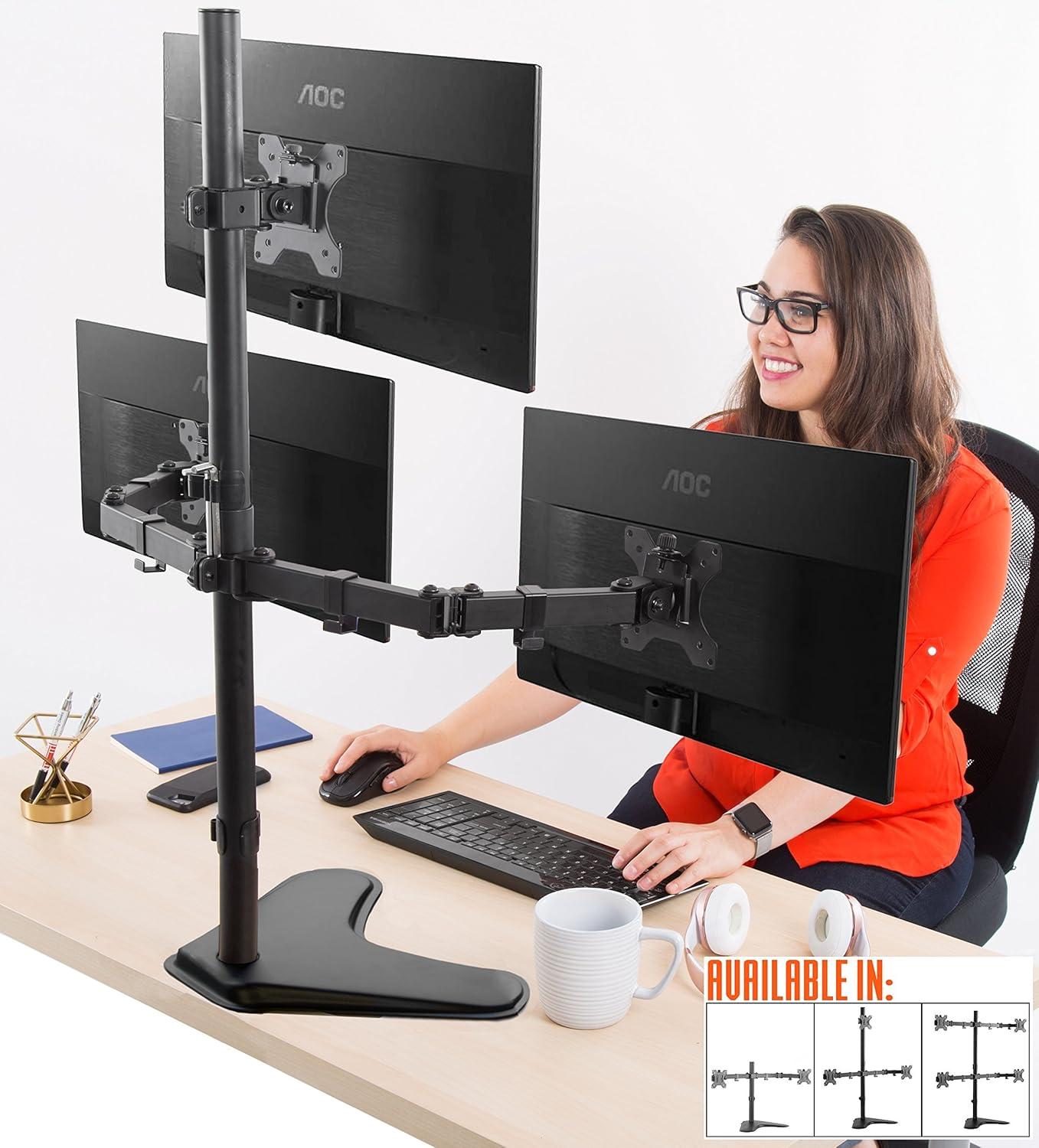
We went into this review with a simple goal: reclaim our desktop without sacrificing screen real estate.The Stand Steady Triple Monitor Desk Stand arrives promising a freestanding, height-adjustable solution that fits most 13-32 inch VESA‑compatible monitors, offers full articulation, adn saves space with a tabletop base – and on first glance it looks the part. Unboxing revealed a heavy, well‑painted metal build, organized hardware, and those neat little cable‑management clips that immediately made our cable chaos feel salvageable.
Putting it together took us about half an hour, and the process was straightforward if a bit touchy in places - some screws needed extra torque and we ended up swapping in longer ones for a snugger fit. Once assembled, the arms move smoothly, the joints offer plenty of tilt, swivel and rotation, and the configuration easily accommodated two 32‑inch curved displays with a 27‑inch above for an ultrawide, stacked workspace. That said,stability and alignment required patience: with heavier panels we had to tighten clamps carefully and fiddle with arm lengths to get everything perfectly level,and we can see why some users report mixed experiences depending on desk surface and monitor weight.
In the sections that follow we’ll walk through how the stand performed in daily use – stability tests, ease of adjustment, build quality details, and a few practical assembly tips we picked up along the way – so you’ll know whether this freestanding triple mount is the right fit for your setup.
Our Overview and First Impressions of the Stand Steady Triple Monitor Desk Stand
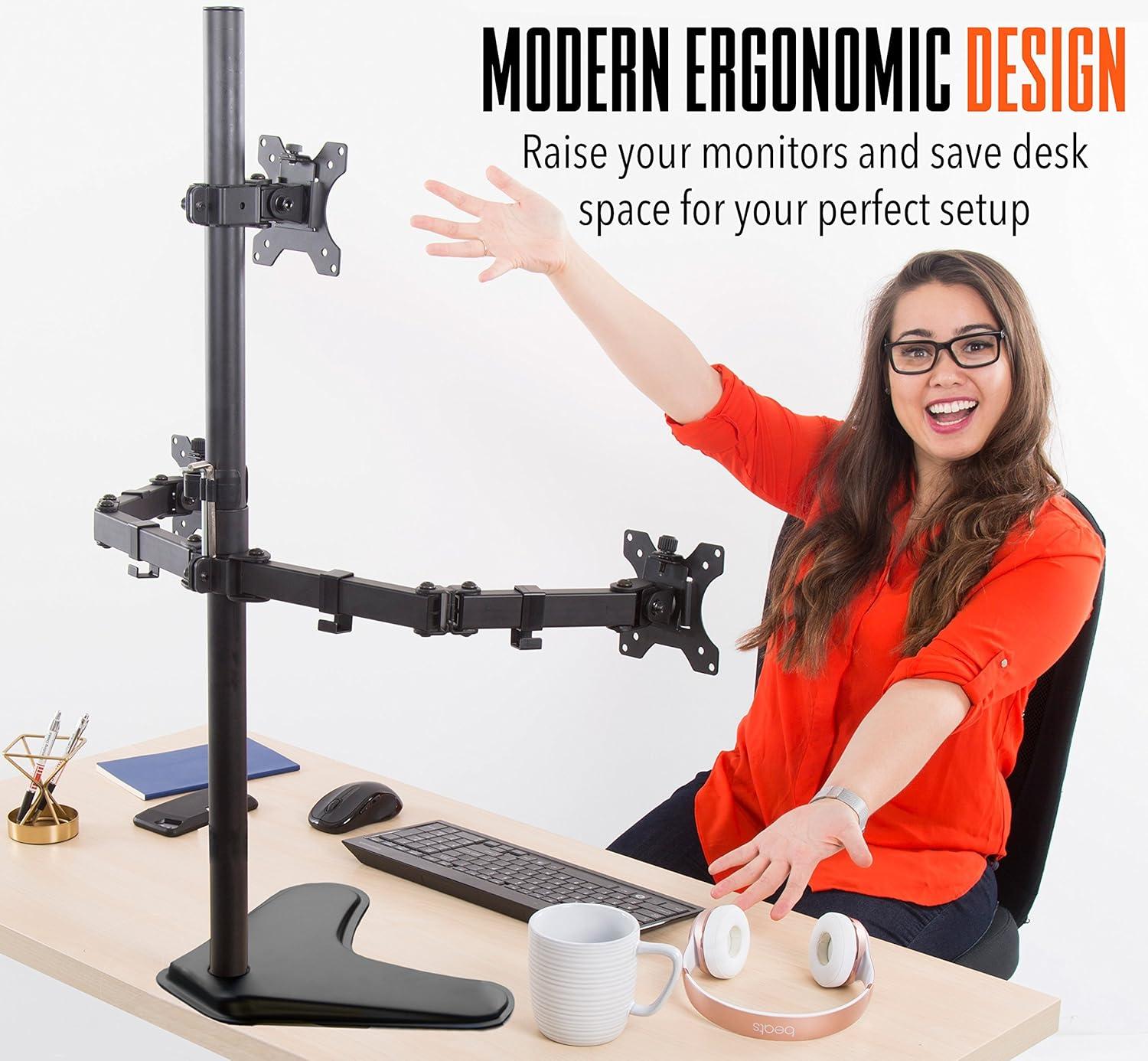
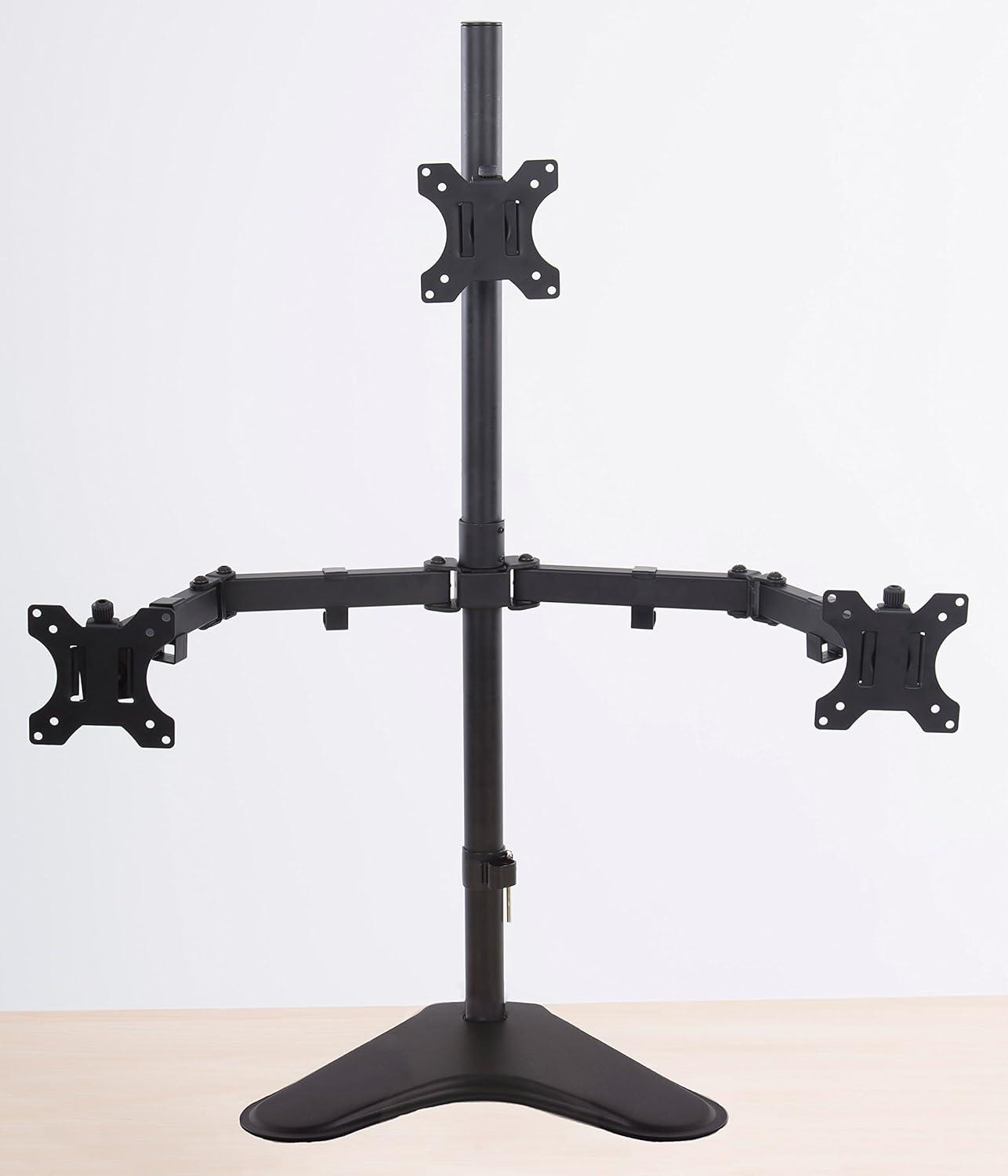
We found this freestanding, full-articulation monitor stand to be an extraordinary, thoughtfully designed solution for multi-screen workstations. The metal construction feels substantial – a real “beast” that frees up desk space while letting us position screens almost any way we want: 360° rotation, tilt, and wide swivel make it easy to chase the perfect ergonomic view. Assembly is straightforward for a heavy-duty mount (most reviewers reported around 30 minutes), and the detachable VESA plates + cable management clips are small touches that made setup cleaner and less fiddly. The freestanding tabletop base is a highlight for us – it removes the need to clamp or drill into desks and lets the stand be moved if we rearrange our space. What we liked most:
- Ease of assembly – most people finish in about half an hour
- build quality – heavy,metal construction that feels durable
- Versatility – supports multiple arrangements up to large monitors
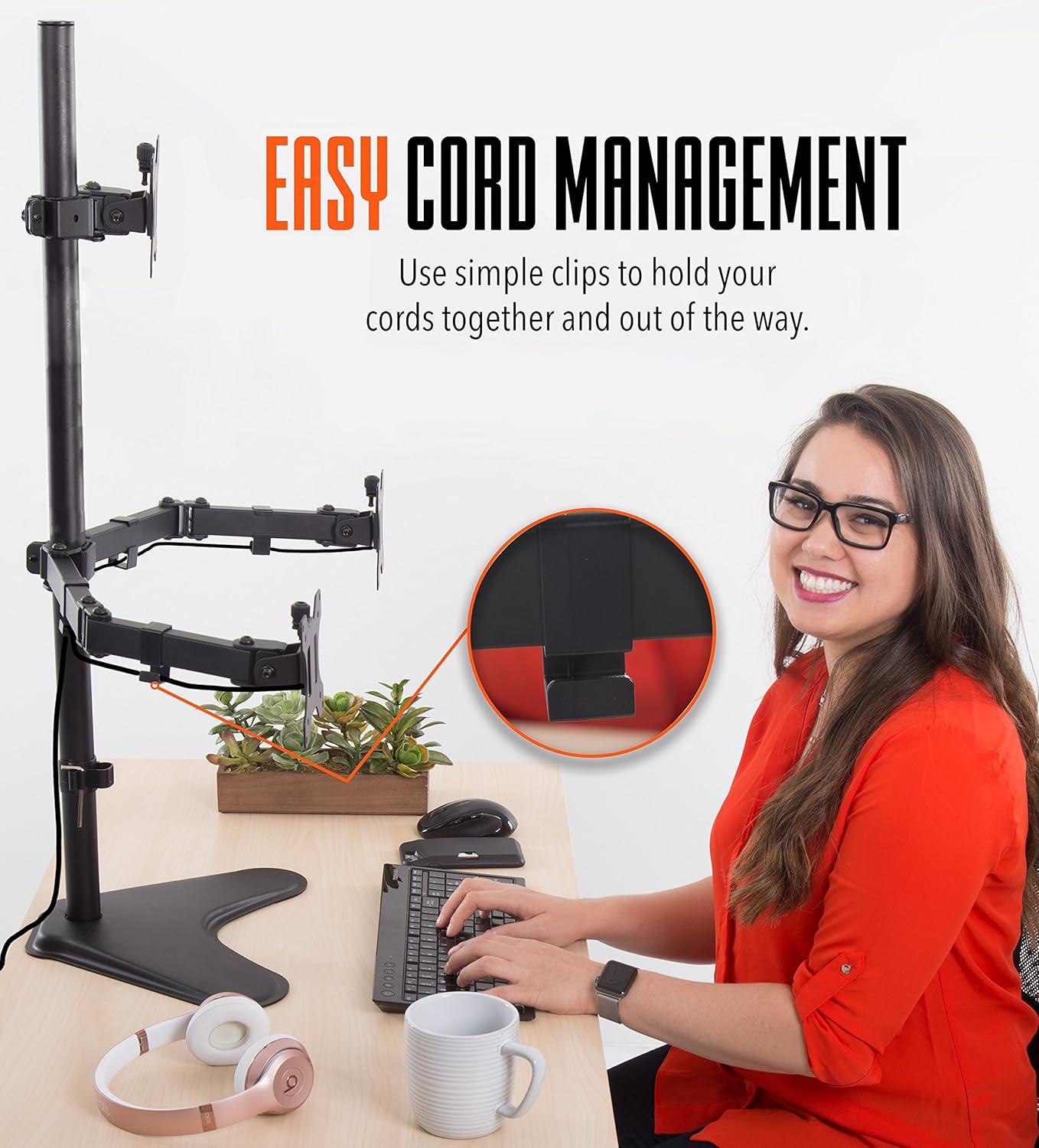
- Cable management – simple clips that actually help tidy cords
That said,our overall impression is balanced by the mixed reports on stability and hardware fit. Some users experienced wobble or a base that felt insufficiently sturdy unless bolts were fully torqued, and there are recurring notes about short or soft screws (you may need longer replacement bolts or extra tightening). Alignment of side arms can take patient fine-tuning, and a few reviewers warned that the included Allen bolts strip if over-tightened. Despite these caveats, once adjusted the mount holds screens well – several customers successfully ran two 32″ curved screens or three 27″ displays with satisfying results.Quick snapshot:
| Feature | Our Take |
|---|---|
| Fit | up to three 32″ (VESA required) |
| Assembly | ~30 minutes, organized hardware |
| Stability | Mostly solid - some reports of wobble |
| Adjustability | High – tilt, swivel, rotate |
If you want to see current pricing and read more user experiences, check it out on Amazon: View this monitor stand on Amazon
What We Found Most Useful: Stability, articulation, and Space Saving in Real Use
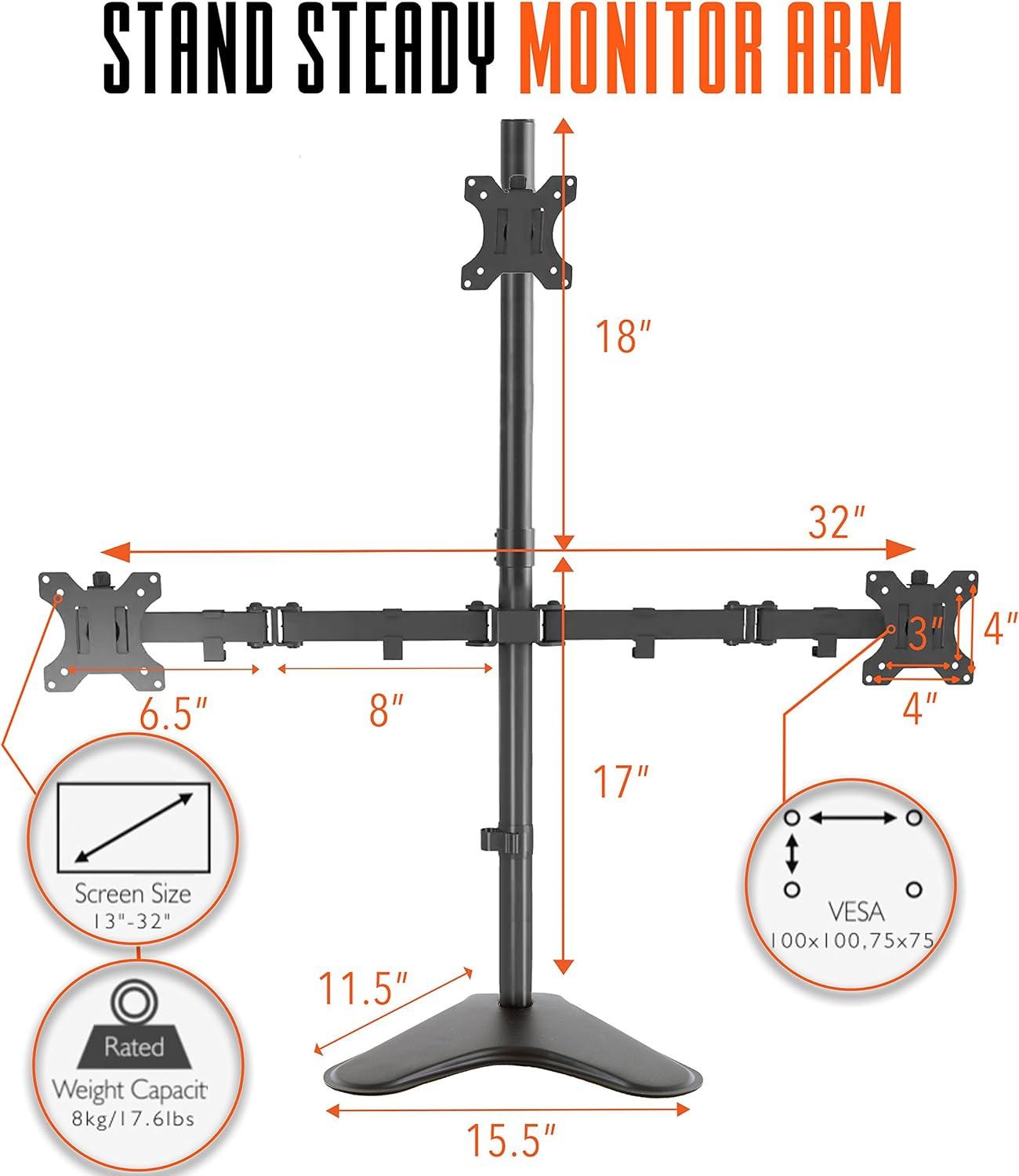
We were impressed by the overall stability and build quality - the metal frame feels substantial and the freestanding base is a huge practical plus when we don’t want to clamp or drill into a desk. Assembly took us about half an hour when we took our time, and the included hardware and organized packaging made that straightforward. The cable-management clips are a small but welcome detail that keeps the desktop tidy, and the detachable VESA brackets let us mount monitors off-stand and then slide them into place without risking the screen. That said,stability can vary: when all fasteners are fully tightened the rig is very solid,but some users report the base screws are too short or mild wobble at the arm clasps – so double-check screws and torque during setup to avoid surprises.
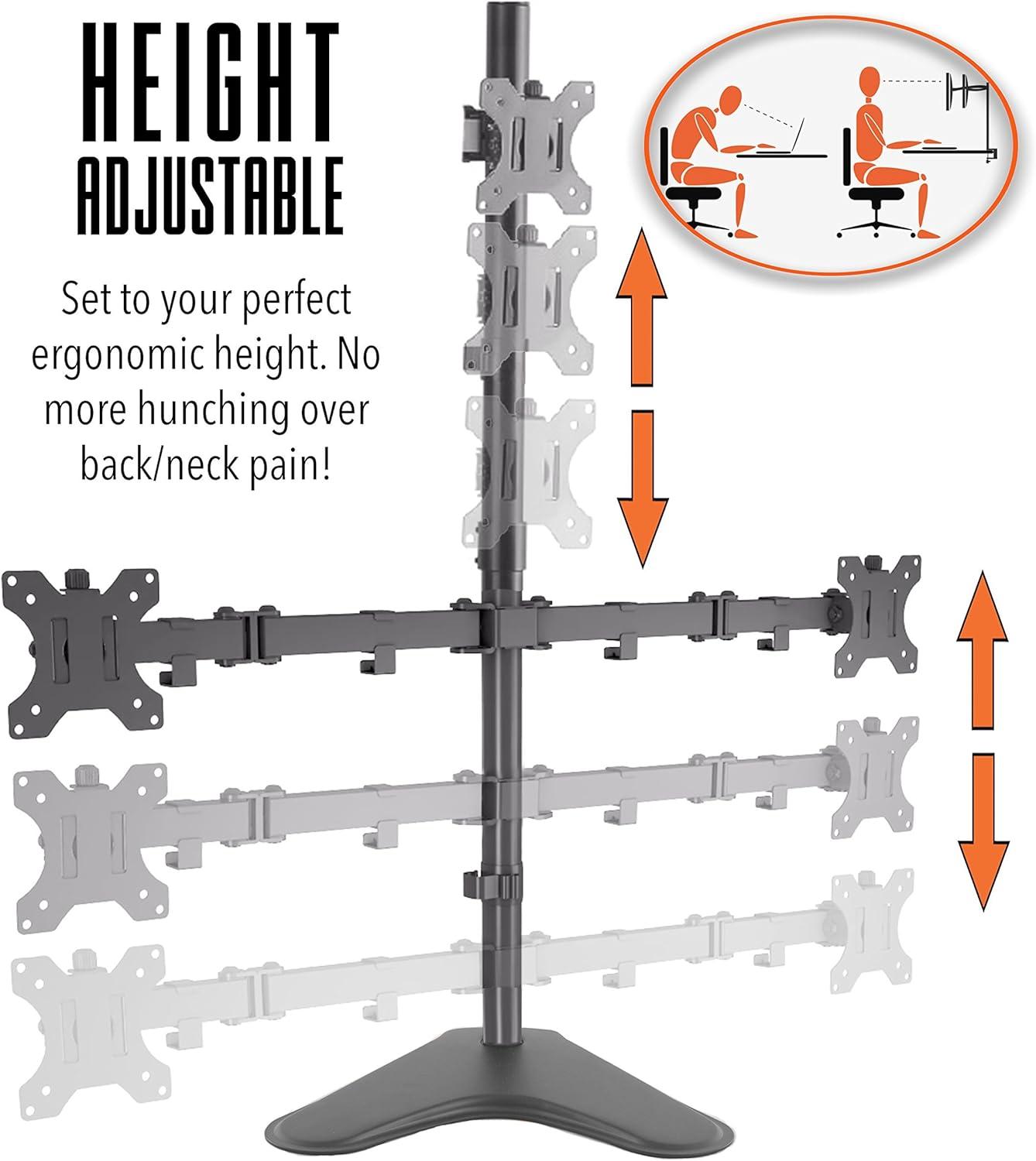
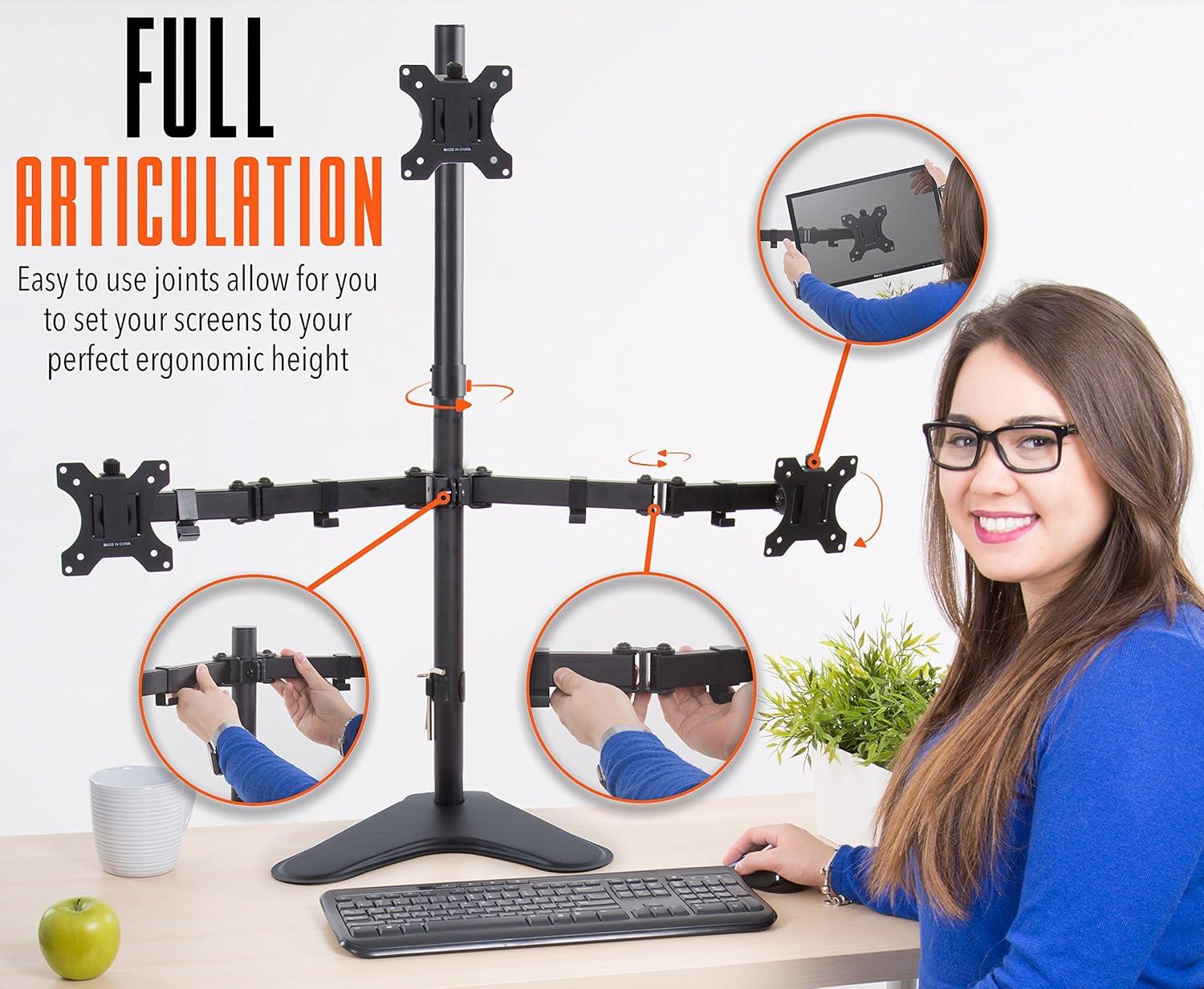
What stood out most in everyday use was the articulation and space-saving design. the arms rotate and tilt freely (360° rotation, ~34° tilt, ~17° swivel) and extend wide enough to position screens nearly five feet apart, which let us arrange dual or triple monitors at eye level and reclaim lots of desk real estate. Alignment sometimes needed patient fine-tuning – a few adjustments of the allen screws got everything straight – but once dialed in the monitors stayed put and glare was easy to minimize with the top tilt.
- Works well with larger screens: tested with 27-32″ displays
- Freestanding versatility: move the whole setup without desk modifications
- Articulation: easy to reposition for different tasks
| Quick Metric | Our Take |
|---|---|
| Ease of assembly | ~30 minutes, organized parts |
| Build quality | Solid metal – feels heavy-duty |
| Stability | Mostly excellent if fully tightened |
| Alignment & hardware | Fine-tuning required; check screw length |
See it on Amazon – Try It Yourself
Detailed Insights and Our Recommendations for Setup, Ergonomics, and Monitor Choices
Assembly is one of the stand’s strongest suits: manny reviewers report a straightforward build that takes about 30 minutes if you take your time and keep the included hardware organized.We recommend a purposeful sequence and a couple of precautions because experiences vary-some users praise the heavy, well-constructed feel while others ran into short or soft screws that required replacements or extra torque. Our top setup tips:
- Check VESA compatibility before unpacking-this mount requires VESA-ready monitors.
- Assemble the base and poles first, then attach the lower centre monitor before the side arms to stabilize the frame.
- Prop one side while you install the opposite monitor so the stand doesn’t tip during installation.
- Tighten every Allen bolt fully (a wrench can help) and keep the extra screws-some users needed longer or stronger bolts.
- Use the cable management clips provided to keep cords neat from the start.
We found that having a helper for heavier screens makes the process safer and faster, and that taking a little extra time to line up the VESA plates pays off in long-term stability.
The ergonomics and monitor choices are flexible but require realistic expectations: the arms are height-adjustable and extendable, offering 360° rotation, about ±34° tilt and ~17° swivel, so you can craft a multi-screen layout that raises displays to eye level and reduces neck strain. While many of us successfully ran setups with two 32″ curved monitors and a third smaller display above, stability reports are mixed-some users experienced excellent steadiness, others noted wobble or insufficient base screws. Below is a quick reference to help decide what to mount:
| Feature | Our Proposal |
|---|---|
| Recommended monitor sizes | 13″-32″ (best: 21.5″-27″ for three-up layouts) |
| Articulation | 360° rotate, tilt up to 34°, swivel ~17° |
| Mounting style | Freestanding base-no desk clamp needed; ensure wide, flat surface |
Practical ergonomics reminders:
- Favor balanced weight across arms-avoid putting a very heavy monitor onyl on one side.
- Allow time for alignment-getting three screens perfectly flush can take a half hour of fine-tuning.
- Consider desk surface and, if you’re concerned about wobble, test the base positioning or add longer screws as needed.
If you’re ready to try a versatile multi-monitor conversion for your workspace, grab one here: Shop this Triple Monitor Stand
Pros & Cons
Pros & Cons
After spending time with the Stand Steady triple monitor stand and reading a wide range of customer experiences,we boiled down the strengths and trade-offs. Below is our balanced take – short, practical, and honest.
Pros
- Freestanding tabletop base – we can move it around without drilling or clamping the desk.
- Heavy-duty feel – metal construction gives the impression of durability and long-term use.
- Full articulation – tilt, swivel and 360° rotation let us dial in ergonomics for gaming or work.
- Supports multi-screen layouts – advertised for up to three 13-32″ monitors; we saw setups with large screens work well.
- Detachable VESA plates – mounting monitors off the arms makes installation less risky for screens.
- Cable management clips – small but helpful for tidier routing and a cleaner desk surface.
- Reasonable assembly time – most users report about 30 minutes if you take your time.
Cons
- Stability is mixed – while some setups are rock-solid, others experience wobble or tipping with uneven/heavy monitors.
- Hardware quirks – several users reported screws that are too short or fragile allen bolts that strip easily.
- Alignment can be fussy – getting all three monitors perfectly level may take patience and repeated tightening.
- Cable clips feel inexpensive - they work, but they don’t feel premium or ultra-durable to us.
- Bulky footprint – the base is sizable and heavy; it frees desk space vertically but occupies surface area.
- VESA-only compatibility – you’ll need adapters if your monitors aren’t standard VESA.
Quick Verdict Table
| Best For | Watch Out If | Typical Setup Time |
|---|---|---|
| Home office and gamers who want a freestanding triple display | You have three heavy, uneven monitors or a shallow desk surface | ~30 minutes (plus extra tightening/adjustments) |
In short, we like the Stand Steady for the flexibility and heavy-duty design it brings to triple-monitor setups, but we recommend double-checking your monitor weights, having a few longer screws or a torque tool on hand, and allotting time for fine-tuning alignment during installation.
Q&A
Q: Will this Stand Steady mount fit my monitors?
A: It will if your monitors use standard VESA holes and are in the advertised size range (most 13-32″ LCD/LED screens). Several customers reported good fits for everything from small 21.5″ panels up to large 32″ screens. If your monitor doesn’t have VESA holes you’ll need an adapter.
Q: Can it really handle three 32″ monitors?
A: The product is advertised for up to 32″ monitors and some users successfully ran three large screens on it. That said,stability and alignment become more sensitive as screens grow heavier. We recommend confirming each monitor’s weight vs. the stand’s guidance (check the manual or seller if weight limits aren’t printed) and testing incrementally-mount one, then add the others.
Q: How stable is the freestanding base?
A: Reviews are mixed. Many users find it very sturdy once everything is tightened; others reported wobble or even a fall with heavier monitors. Stability depends on desk surface, how tightly you torque the bolts, and whether you use any extra reinforcement (see our tips below). Don’t skip final re-tightening after initial placement.
Q: Is assembly challenging?
A: Most people report assembly takes about 20-40 minutes and is straightforward if you follow the instructions. We recommend having a second person when you mount the monitors-especially the side ones-to avoid imbalance while attaching screens.
Q: We read complaints about screws being too short or soft. What do we do?
A: That issue appears in several reports. Inspect the hardware before you start. If base screws are too short, you can source slightly longer bolts of the same thread, or use washers/spacers as needed. Some users also replaced shallow Allen bolts with stronger alternatives to avoid stripping.
Q: How easy is it to align all three monitors perfectly?
A: alignment is achievable but can require patience. The arms offer full articulation (tilt, swivel, rotation, height adjustment), so once you get the arms set and tighten clamps, alignment holds for many users. If one arm is extended further then another, it can throw off angles-adjust incrementally and tighten as you go.
Q: Any tips for making the stand more secure on the desk?
A: Yes. Tighten every bolt and clamp fully after initial assembly. Use a heavy, flat desk surface. If your desk has a grommet hole and the stand has that option,use it. Some users even added extra bolts or temporarily clamped/support one side while mounting. If you still feel instability, consider replacing base screws with longer, stronger ones (matching thread) or bolting the base to the desk if the design and your desk allow.
Q: Does it work with curved monitors?
A: People have used curved monitors with success-some reported two 32″ curved displays mounted well. Curved panels can complicate visual alignment, so expect extra tweaking, but the arms’ articulation helps accommodate curvature.
Q: How adjustable are the arms?
A: Very adjustable. The stand offers height adjustment, 360° rotation, tilt (reported around 34°) and some swivel. That gives a lot of freedom for ergonomic positioning and portrait/landscape switches.
Q: Are there any missing hardware or packaging issues to watch for?
A: A few reviewers reported missing or unusual parts in rare cases. unbox and inventory the hardware against the parts list before you begin. If anything’s missing,contact the seller/manufacturer promptly.
Q: How does cable management look?
A: The stand includes cable clips and many users liked the cleaner desk look. Some clips feel a bit cheap; for a neater or more durable run you can add cable sleeves or zip ties.
Q: Is this better than a clamp mount?
A: Pros of the freestanding base: no edge clamp or drilling required, easier to move, and often looks neater. Cons: it relies on its base for stability, so very heavy configurations or lightweight desks may benefit from a clamp or grommet-mounted solution. Decide based on your desk thickness, surface, and monitor weights.
Q: Final verdict-should we buy it?
A: If you want a freestanding triple-arm solution with wide articulation and are willing to spend a little time tuning and tightening,this stand is a very compelling and generally well-built option. If your monitors are at the heavy end of the 32″ range or you need absolute rock-solid stability without any tweaks, be prepared to reinforce the base (longer bolts, clamp, or a sturdier desk) or consider a clamp/grommet-mounted alternative.
Seize the Possibility
We’ve enjoyed putting the Stand Steady triple monitor stand through its paces – it’s a solid, thoughtfully designed option for anyone looking to tame three screens without drilling into their desk. Assembly is straightforward (most report about 30 minutes), the metal build feels heavy-duty, and the full-articulation VESA arms and cable clips make for a clean, flexible workspace. It handles a range of monitor sizes (up to 32″) and gives you lots of ergonomic adjustment.
Having mentioned that, our take is balanced: stability and securing are mixed across users – some call it rock-solid, others found the freestanding base less steady and ran into short or fiddly screws. Alignment can take patience, especially with larger or unevenly weighted monitors, so be ready to tighten things thoroughly (and possibly swap in longer bolts if your desk or monitors demand it).
If you want roomy adjustability and a freestanding solution that frees up desktop real estate, this stand is a strong contender – just check your monitor weights, desk surface, and maybe keep a few extra screws or a wrench handy. For a closer look or to pick one up, see it on Amazon:

Reviews
There are no reviews yet.