
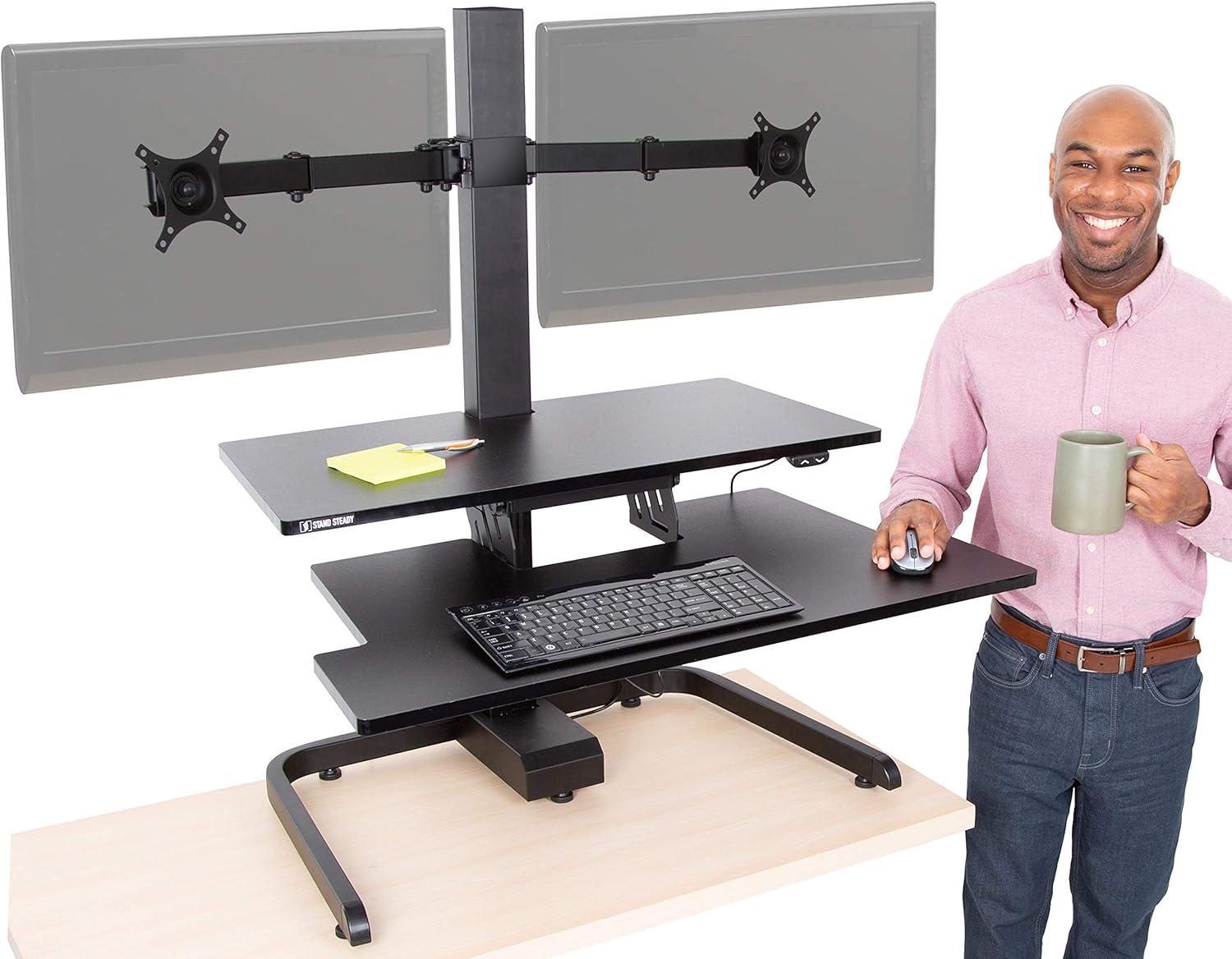
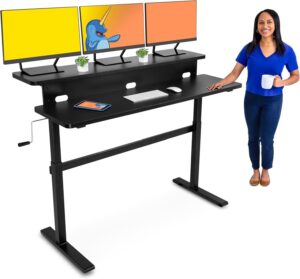
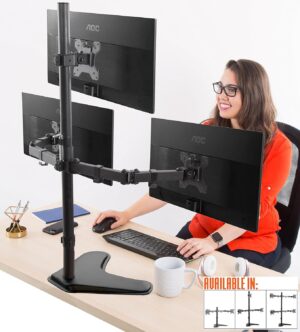
We’ve spent the last two weeks swapping between marathon gaming sessions and back-to-back Zoom meetings on the Stand Steady Techtonic Electric Standing Desk Converter with Dual Monitor Mount, and it quickly became the most versatile piece of gear on our desktop. Designed to sit atop any existing desk, the Techtonic promises a nearly silent, button-operated lift, room for two screens, and a dedicated keyboard tray – all packed into a compact 31.25″ x 20″ footprint. Coming from a brand that talks about “building better workdays,” this converter aims to give you the flexibility of a full sit-stand setup without tearing down yoru current workspace.
In our hands-on time with a dual 24″ monitor setup, the three-level ergonomic design made it easy to line our screens up at eye level while keeping the keyboard at a pleasant angle. The electric adjustment is genuinely quiet and smooth, and the dual VESA mounts felt sturdy during both casual browsing and intense gaming moments. Over the rest of this review we’ll walk thru setup, daily use, stability under load, monitor compatibility, and whether the Techtonic is a smart fit for gamers, remote workers, and small-space setups alike.
Our Overview and First Impressions of the Stand Steady Techtonic Electric Standing Desk Converter
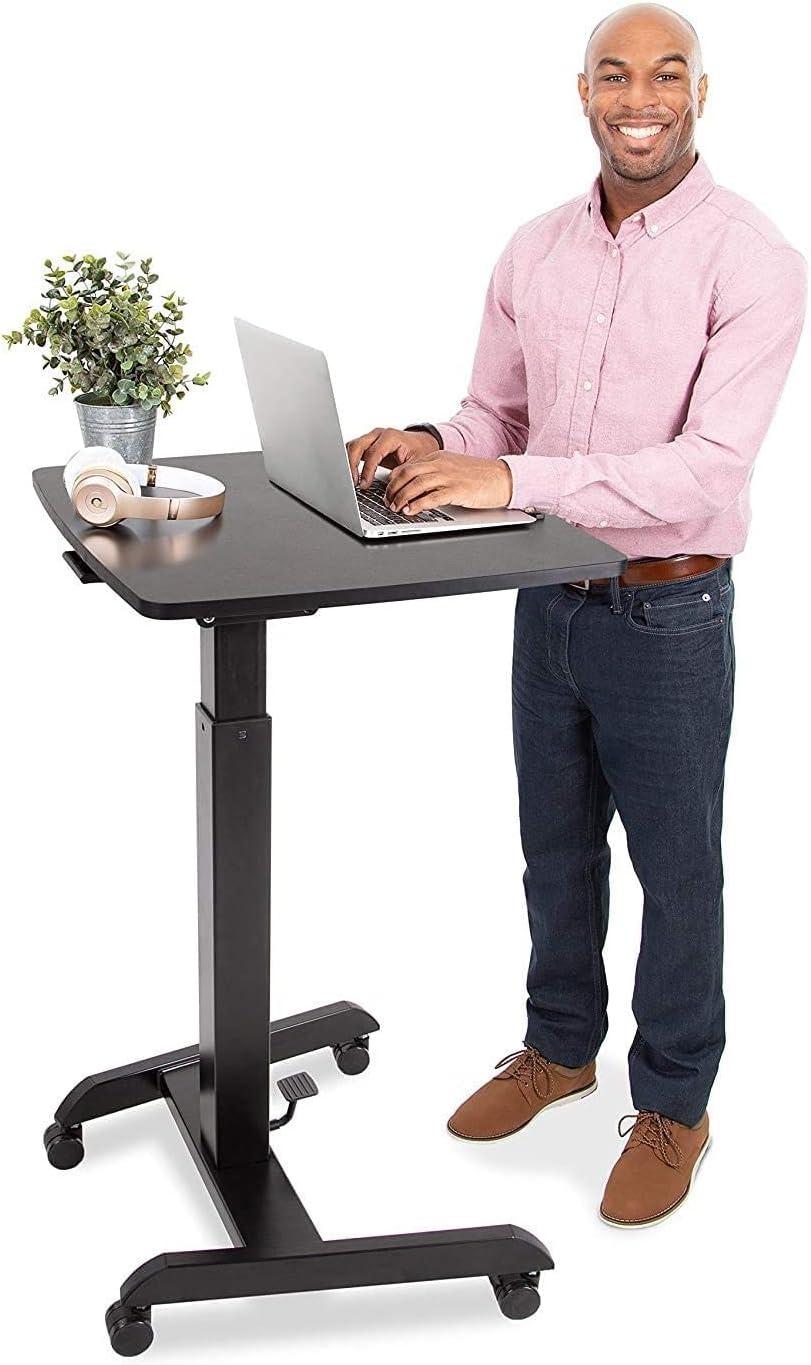
We unboxed and set up the converter quickly and our first impression was that this is a thoughtfully engineered sit‑stand solution. The three‑level ergonomic design immediately stands out – a roomy keyboard shelf and desktop combined with dual VESA mounts let us align screens at eye level, which noticeably reduces neck strain during long sessions. The lift is powered by a nearly silent motor, so transitions between sitting and standing are smooth and unobtrusive, and the build feels stable enough for both gaming peripherals and heavier monitors. Its compact footprint (31.25″ x 20″) makes it easy to retrofit onto existing desks or squeeze into small workspaces without sacrificing usable surface area.
Our hands‑on time also highlighted practical versatility: it supports two monitors (13″-24″ range with rotation, swivel and tilt) but can accommodate larger screens commonly used for productivity. Key takeaways we shared among the team include:
- Ergonomics: Aligns screens and preserves spine posture.
- Operation: Button‑controlled electric adjustment – no manual lifting.
- Compatibility: Dual VESA arms with 360° rotation and 240° swivel.
- Fit: Compact design works on most desks and in cubicles.
| Feature | Quick Note |
|---|---|
| Height Adjustment | Quiet, button‑operated |
| Monitor Support | Dual mounts, flexible angles |
| Footprint | Desk‑top kind, space efficient |
Ready to upgrade your setup? see Pricing and Reviews on Amazon
Highlights of Design Performance and dual monitor Support That Caught Our Attention
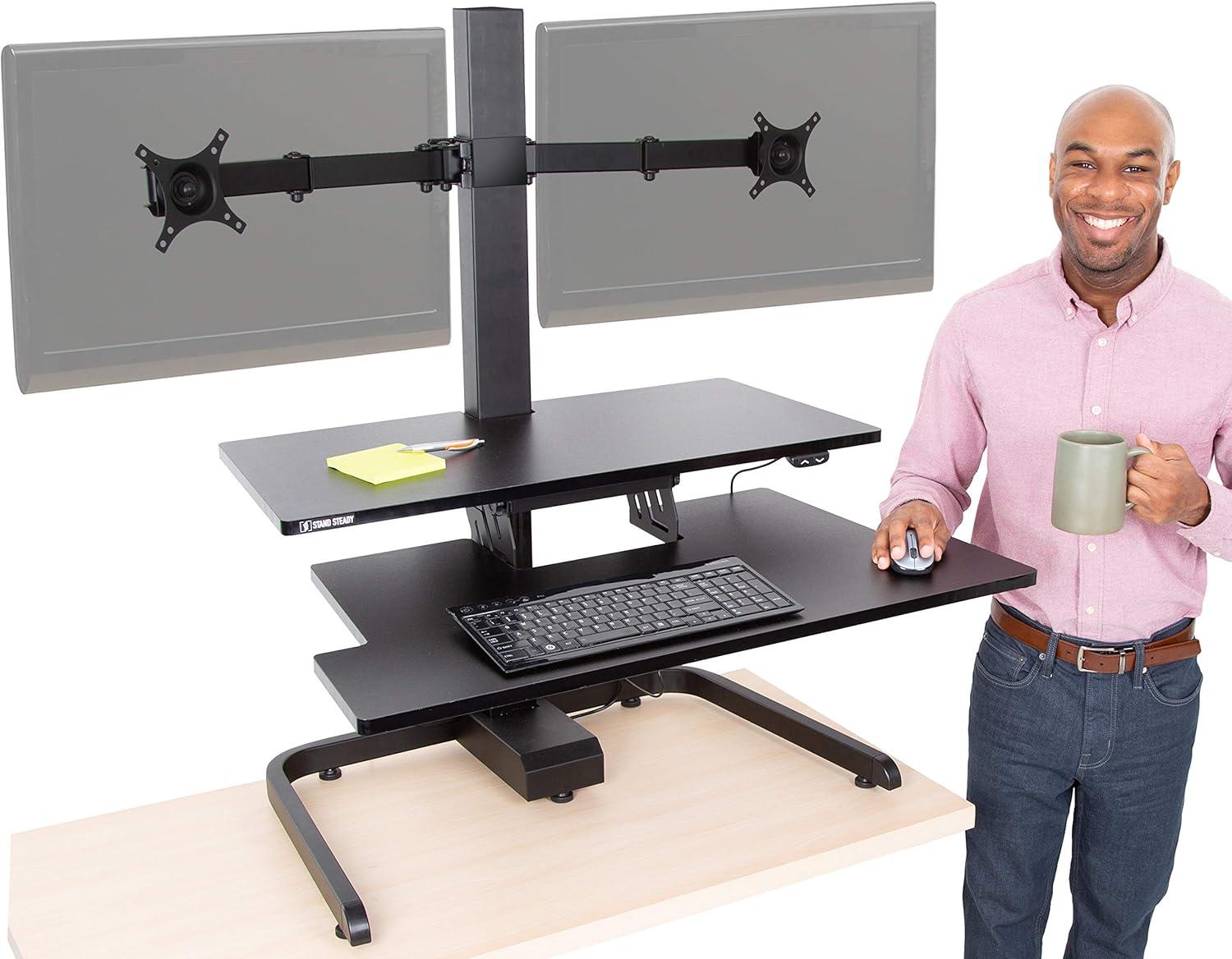
We were immediately struck by how thoughtful the three-level ergonomic layout transforms a cramped desk into a purposeful workspace. The generous keyboard shelf and desktop let us position peripherals exactly where we need them while the electric, button-operated height adjustment makes transitions between sitting and standing feel effortless and smooth. The near-silent motor keeps our focus intact during long sessions, and the sturdy frame gave us confidence that the setup would stay rock-steady even during intense gaming bursts. Key design wins that stood out:
- Three-Level ergonomics: Aligns screens and keyboard to reduce neck and shoulder strain.
- Silent & Stable Operation: Nearly silent motor with a solid, wobble-resistant build.
- Compact Footprint: Sits atop any desk (31.25″ x 20″), ideal for small spaces and cubicles.
- Effortless Adjustment: Button control for quick, repeatable height changes-no manual lifting.
What really caught our attention was the dual-monitor support: the twin VESA mounts let us marry productivity and immersion by aligning two screens at eye level with flexible articulation. The arms accommodate a broad range of monitor motion-360° rotation, 240° swivel and 15° tilt-so we could fine-tune viewing angles for collaboration, streaming, or focused solo work. Below is a quick snapshot of the motion and size compatibility that informed how we set up our rig:
| Capability | Range |
|---|---|
| Monitor support | 13″-24″ (fits many 24″, 27″, 32″) |
| Rotation | 360° |
| Swivel | 240° |
| Tilt | 15° |
Ready to test one in our own space? See the latest price and buy on Amazon
Our Detailed Insights and Practical Recommendations for Setup ergonomics Gaming and Daily Workflows
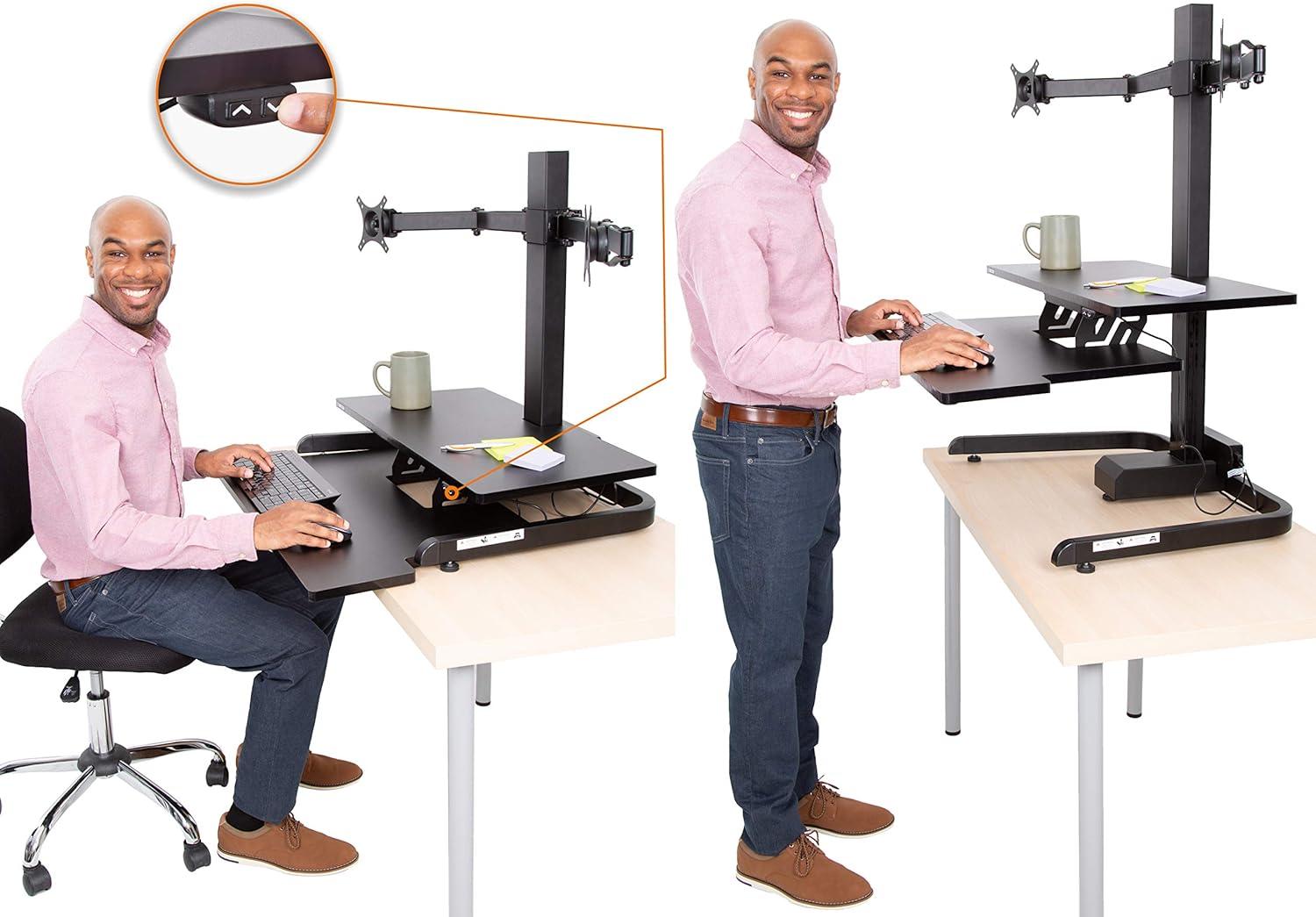
When we set this converter up, our first priority was true ergonomic alignment: the three-level design with a spacious keyboard shelf and dual VESA mounts makes it easy to get screens and wrists where they belong. By raising monitors to eye level and using the 360° rotation, 240° swivel and 15° tilt, we avoid craning our necks and reduce shoulder strain during marathon sessions. For practical daily use we follow a short checklist that keeps our posture consistent and our reflexes sharp during gaming and focused work:
- Eye level – top third of the screen at eye height.
- Keyboard position – forearms parallel to the floor on the spacious tray.
- Monitor distance – roughly an arm’s length to reduce eye fatigue.
The nearly silent motor means we can switch between sitting and standing with a single button without disrupting teammates or immersion, while the solid frame keeps the setup stable even when we get intense in-game.
Space is always at a premium, and the compact footprint (31.25″ x 20″) lets us convert existing desks or small cubicles into versatile sit-stand stations in minutes. The dual-monitor compatibility covers a wide range of displays and gives us freedom to angle each screen for collaborative work or split-screen gaming. For quick reference, here are the simple settings we found most effective across common setups:
| Setup | Recommended Setting |
|---|---|
| Single 27″ monitor | Top third at eye level, tilt 0-5° |
| Dual 24″ monitors | center points aligned, swivel 10-20° each |
| Mixed screens | Raise smaller screen slightly, use rotation as needed |
If you want to test how it transforms our workflow and gaming posture, grab ours on amazon and try a sit-stand routine for a week – we noticed the difference within days.
Pros & Cons
Pros & Cons
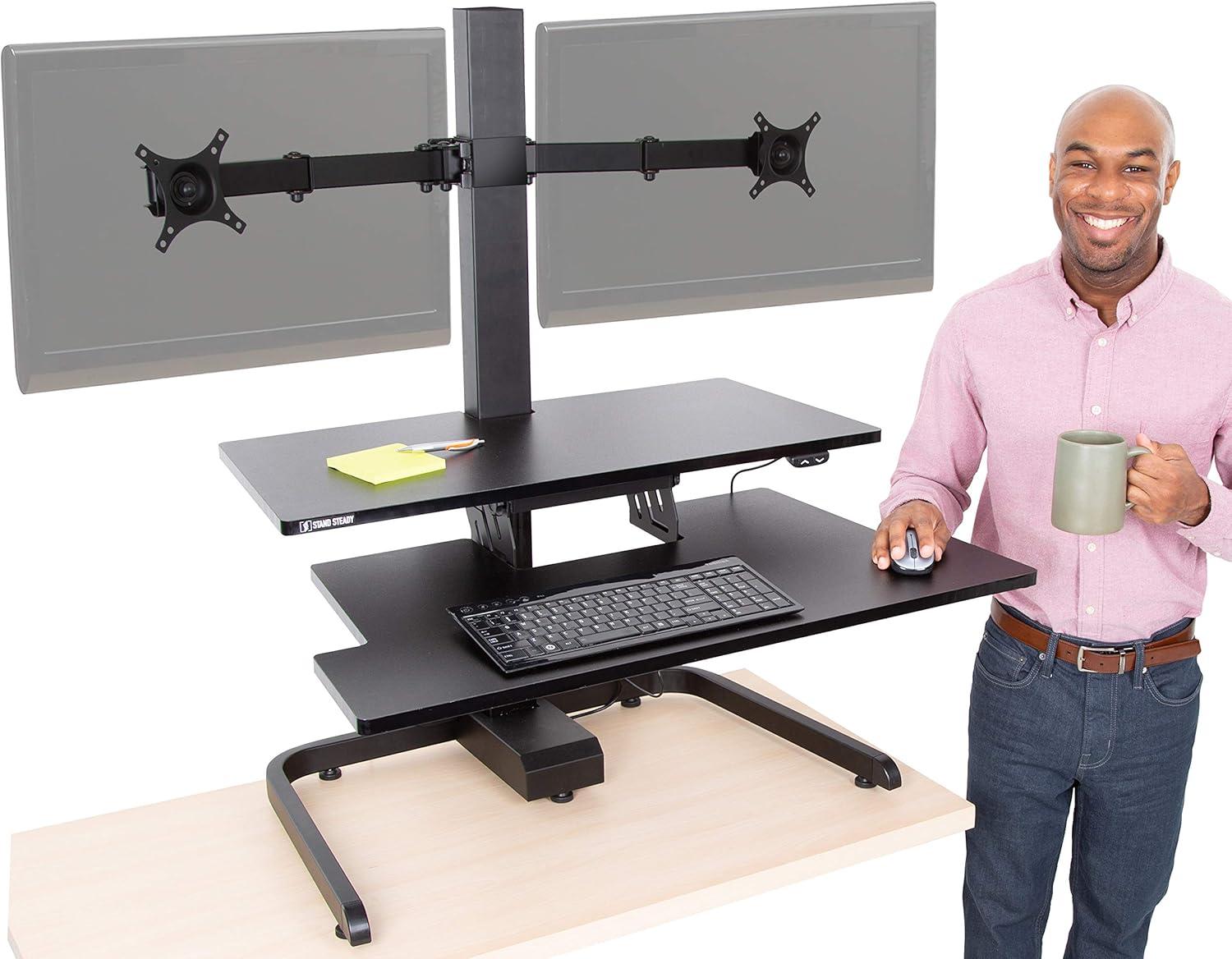
We tested the Techtonic Dual Monitor Converter across work and gaming sessions. Below are the highlights that made us nod in approval – and the caveats that made us think twice.
Pros
- Smooth electric adjustment: The button-controlled motor moves quietly and confidently, so we can switch from sit to stand without interrupting a tense gaming moment or a conference call.
- True dual-monitor setup: Dual VESA arms with rotation, swivel and tilt let us angle two screens for comfortable, aligned viewing – excellent for multitasking and immersive play.
- Three-level ergonomic design: Keyboard tray, desktop and monitor mounts work together to keep our posture in line and neck strain down during long sessions.
- Stable under load: The converter feels solid and resists wobble during typing or mouse flicks - significant when we’re reacting quickly in games.
- Compact footprint: At roughly 31.25″ x 20″, it fits atop existing desks and frees us from buying a full standing desk, which we appreciated in small spaces and shared setups.
- Plug-and-play versatility: Fits most mainstream monitors and can be integrated into gaming rigs or office stations without complex workarounds.
Cons
- Monitor size/spec confusion: Product materials mention support up to 24″ monitors yet also reference 27″-32″ compatibility – that inconsistency made us double-check fit before mounting larger displays.
- Not ideal for very large or ultra-wide screens: We’d avoid putting heavy, oversized panels or multi-monitor arrays on this converter – it’s best for mid-sized setups.
- Assembly and setup time: It’s not instant – mounting two monitors and routing cables takes patience and a bit of trial-and-error to get everything perfectly aligned.
- Cable management could be cleaner: There’s limited built-in routing, so we added clips and ties to keep our desk tidy.
- May not suit very tall users: because it sits on top of an existing desk, some of us found the maximum standing reach borderline if the desk itself is low.
| Pros | Cons |
|---|---|
| Quiet, buttoned lift | Specs about max monitor size are unclear |
| Dual VESA arms – flexible angles | Not for oversized / ultra‑wide rigs |
| Ergonomic three-tier layout | Requires assembly & cable tidying |
| Compact - sits on any desk | May fall short for very tall users |
We liked how the Techtonic converter turns a standard desk into a versatile sit-stand station with solid dual-monitor support. Our suggestions: double-check monitor dimensions before ordering, and plan a little setup time for mounting and cable management.
Q&A
Q: What is the Techtonic Dual Monitor Converter in one sentence?
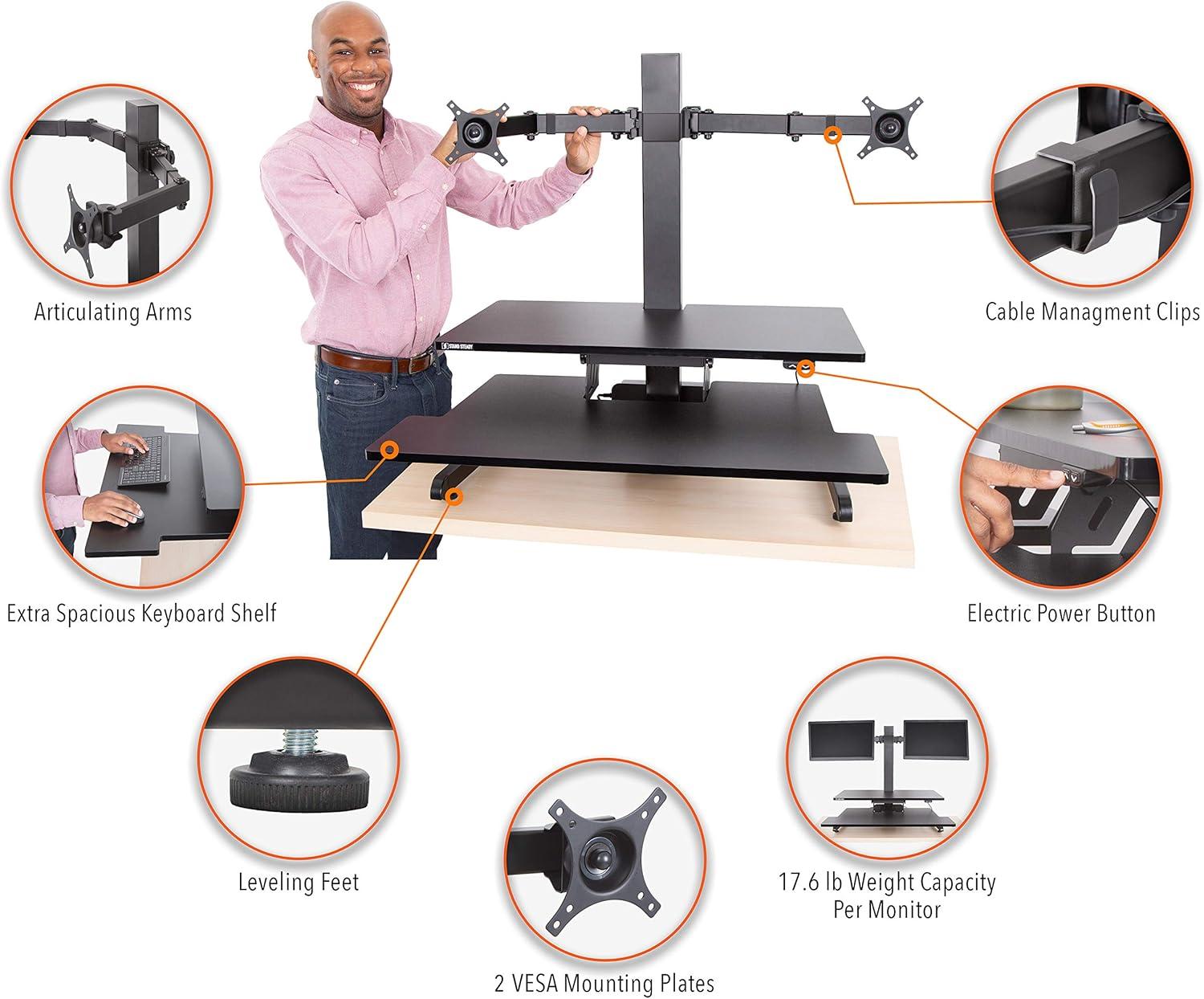
A: It’s an electric sit‑stand converter with a three‑level ergonomic layout – roomy desktop, keyboard shelf and dual VESA monitor mounts – that lets us raise and lower a two‑screen workstation at the push of a button.
Q: Why do we like its design?
A: The three‑level design keeps screens at eye level while the keyboard and mouse sit at a separate, ergonomically correct height. The result is a cleaner posture and fewer neck and shoulder twinges during long sessions – whether we’re gaming or grinding through spreadsheets.
Q: Will it fit on our desk or in a small space?
A: Yes – it’s meant to sit on top of an existing desk and the footprint is compact (about 31.25″ x 20″), so it works well in small offices, cubicles, and most home setups. Measure your desk depth and clearance behind monitors before ordering to be certain.
Q: What monitors does it support?
A: The converter supports dual monitors and offers full movement (360° rotation, 240° swivel, 15° tilt). The product page lists compatibility with 13″-24″ displays and also calls out popular 24″, 27″ and 32″ models – because compatibility depends on both VESA pattern and weight.We recommend confirming your monitor’s VESA pattern and weight against the manufacturer specs before trusting larger panels.
Q: How quiet and stable is the unit?
A: The motor is described as “nearly silent,” and in our hands the adjustment was smooth and unobtrusive – friendly to shared rooms and late‑night gaming. The structure felt solid overall; like any converter, very large or heavy monitors may introduce some wobble at full height, so balance and weight limits matter.
Q: Is the height adjustment easy to use?
A: Yes. Button control makes transitions effortless and repeatable – press to lift or lower and stop when you’re where you want. It’s much easier than manual crank or gas‑spring models for frequent sit‑stand changes.
Q: How is the keyboard tray and desktop space?
A: The keyboard shelf is spacious enough for a full keyboard and mouse, while the main desktop gives room for accessories or a controller. The three‑level layout separates typing from screen height, which we found helpful for ergonomic posture.
Q: Is this converter good for gaming?
A: Absolutely – the quiet motor, dedicated keyboard shelf, and dual monitor support make it a good pick for gamers who want to stand and play or stream without losing desk real estate. Just double‑check monitor weight and mount balance for heavier gaming displays.
Q: Does it come with cable management?
A: it includes monitor mounts that naturally help route cables, but we’d still use cable clips, sleeves or ties for a tidier setup. That keeps cords from snagging during height changes.
Q: How tough is assembly?
A: assembly is straightforward for anyone comfortable with basic tools and following instructions. Most components bolt together and the mount hardware is typical of VESA setups. If you’re unsure, enlist a partner when installing two monitors.Q: what about warranty and support?
A: Stand Steady is the brand behind the product and positions itself as a customer‑focused workspace company. Check the product listing or packaging for specific warranty terms and contact details; keep receipts and serial numbers if you need post‑purchase support.
Q: Are there any cautions or things to check before buying?
A: yes – confirm your monitors’ VESA pattern and weight, measure your desk surface and clearance, and review the manufacturer’s stated weight capacity (if listed). If you plan to use very large or heavy screens, reach out to Stand Steady for guidance.
Q: Who do we recommend this for?
A: For anyone who wants an easy, electric way to switch between sitting and standing: remote workers, office professionals, streamers and gamers, and people in small workspaces who need a compact, dual‑monitor solution.
Q: Final takeaway from us?
A: We like the Techtonic converter because it blends ergonomic thinking with quiet electric convenience and dual‑monitor flexibility. It’s a practical upgrade for most desks, as long as you confirm monitor compatibility and follow the setup guidelines.
Experience Innovation
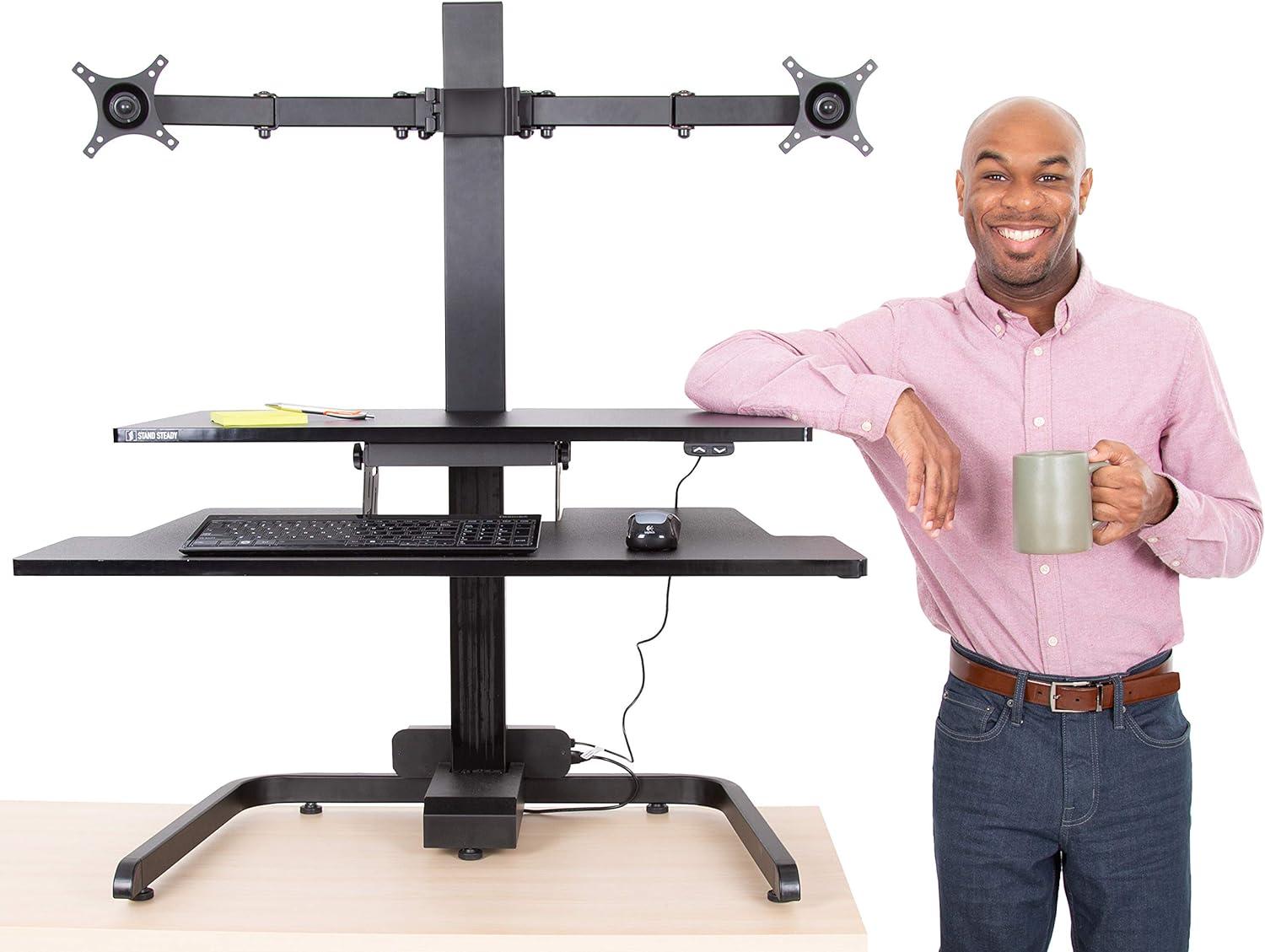
We’ve spent time with the Techtonic Dual Monitor Converter so we could tell you what matters: it transforms a basic desk into a flexible command center without fuss. Between the quiet, button-operated lift, the roomy keyboard shelf, and the dual VESA arms that let us position two screens just where we need them, it strikes a practical balance of stability, ergonomics, and space-saving design. It’s especially handy for compact setups – when we want gaming-ready adjustability or a more comfortable workday without redoing our whole desk.
We don’t see it as a miracle fix, but as a solid, well-thought-out tool that helps us stand more, sit less, and keep our posture in check while staying productive. If you’re looking for an easy way to add sit-stand functionality and dual-monitor support to an existing surface, this converter is worth considering.
Explore the Techtonic Dual Monitor Converter on Amazon: https://www.amazon.com/dp/B0798T9L7J?tag=standsteady-20
Have questions about how it might fit your setup? Share your specs and we’ll weigh in with tips from our testing.
Reviews
There are no reviews yet.